

A smart plug is an internet-connected adapter that sits between a wall outlet and any standard electrical appliance, giving you remote and automated control over that device’s power. You plug it in, connect it to your home Wi-Fi, and suddenly a lamp, fan, or coffee maker becomes something you can switch on from your phone, schedule automatically, or control with your voice. Smart plugs typically cost under $15, making them the most affordable entry point into home automation. That low price removes the biggest barrier most homeowners and renters face when starting with smart home technology.
What is a smart plug and how does it work?
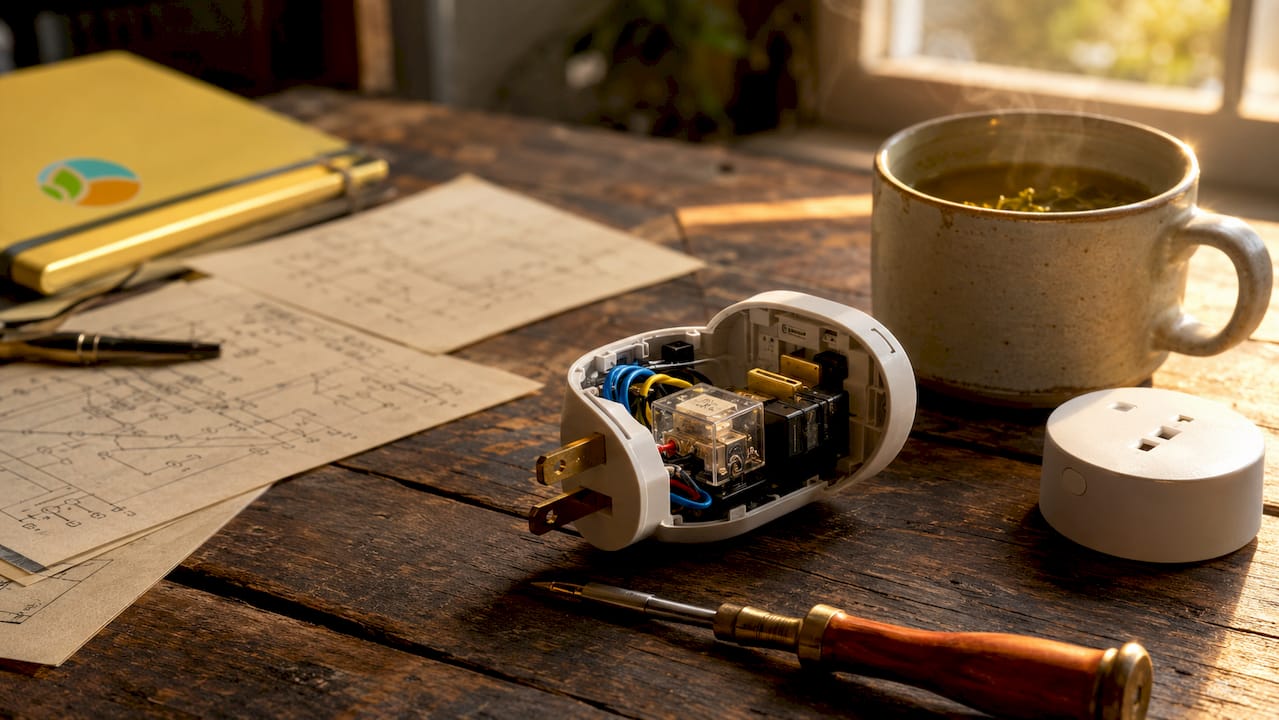
A smart plug works by placing a controllable relay between the wall outlet and your appliance. When you tap “on” in an app or say a voice command, a signal travels from your phone through the internet to the plug, which then closes the relay and lets electricity flow. When you turn it off, the relay opens and cuts the power. The appliance itself never changes. The smart plug does all the work.
The internal component doing the switching is either an electromechanical or solid-state relay. These relays are rated up to 15 amps, which means they can handle high-wattage devices like space heaters and window air conditioners. That rating matters because plugging in a device that draws more current than the relay can handle creates a fire risk.
Connecting a smart plug to your network involves a setup method called SoftAP. During SoftAP setup, the plug temporarily broadcasts its own Wi-Fi signal. You connect your phone to that signal, enter your home network credentials in the plug’s app, and the plug then joins your regular Wi-Fi. After that, you never need to repeat the process.
Here is what happens during a typical smart plug interaction:
- Your phone sends a command through the internet to the plug’s cloud server
- The server relays the instruction to the plug over your home Wi-Fi
- The plug’s relay opens or closes to cut or restore power
- The app confirms the new status in real time
Pro Tip: Most smart plugs only support 2.4 GHz Wi-Fi, not 5 GHz. If your router broadcasts both bands under the same name, your phone may connect to the 5 GHz band during setup and the plug will fail to join. Separate the bands in your router settings before setting up any smart plug.
What are the practical benefits of smart plugs?
Smart plugs add connectivity to ordinary devices without rewiring, replacing, or modifying anything. That single fact explains why they are the most popular first smart home purchase. You get real control over your home without calling an electrician or voiding a lease.
The practical benefits stack up quickly once you start using them:
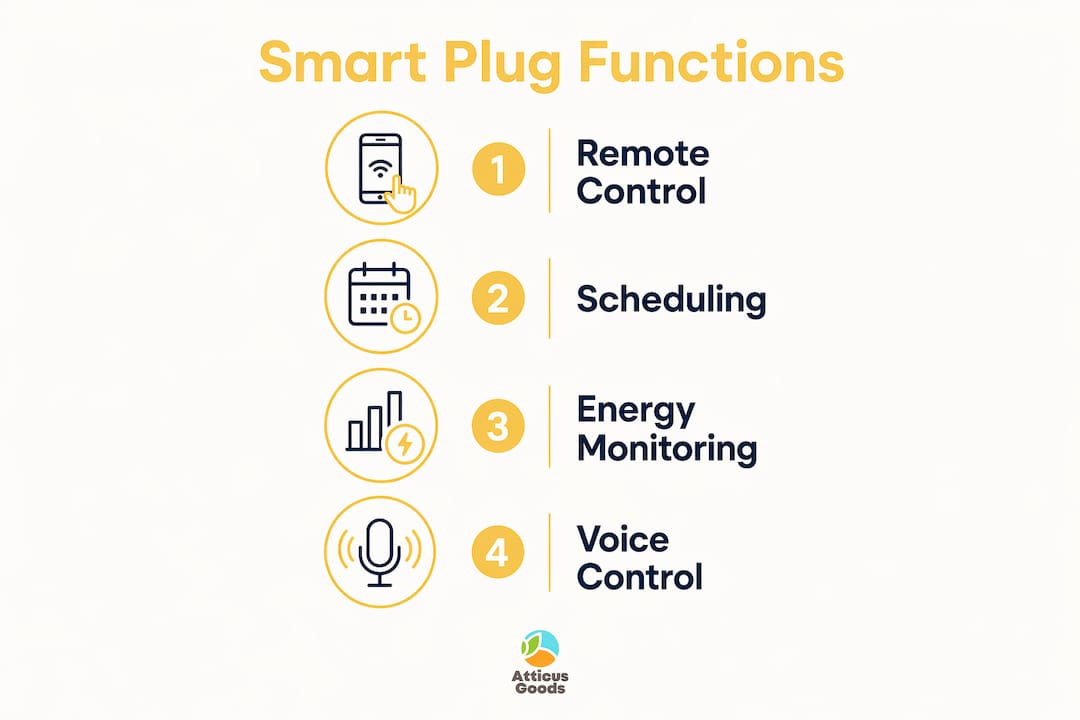
- Remote control. Turn off a lamp you left on after leaving the house. Start the coffee maker before you get out of bed. No app is required for voice commands if you connect the plug to Alexa, Google Home, or Apple HomeKit.
- Scheduling. Set a fan to run from 10:00 PM to 6:00 AM every night. Program holiday lights to turn on at sunset and off at midnight. Schedules run automatically even when your phone is off.
- Energy awareness. Models with built-in energy monitoring show exactly how much power a device draws. You can identify appliances that cost more to run than you expected.
- Phantom load reduction. Electronics draw power even when switched off. Cutting power to a TV entertainment center or a desktop computer setup at the outlet eliminates that waste entirely.
- Security through occupancy simulation. Lights that turn on and off on a schedule make an empty home look occupied. This is a low-cost deterrent that renters and homeowners both use when traveling.
Smart plugs complement rather than replace dedicated energy-saving measures. They help you manage usage patterns, but they are not a substitute for upgrading insulation or replacing old appliances. Think of them as a control layer, not an efficiency overhaul.
Which appliances work best, and what are the limitations?
Not every device pairs well with a smart plug. The rule is straightforward: appliances with simple physical on/off switches that stay in the “on” position work perfectly. Lamps, box fans, space heaters with manual dials, and drip coffee makers all fall into this category. When the smart plug restores power, these devices turn on immediately.
The problem arises with electronics that use push-button or digital start controls. Devices with push-button starts do not automatically power on when electricity is restored through a smart plug. A microwave, a modern TV, or a gaming console will just sit in standby mode. The smart plug can cut power to them, but it cannot replicate pressing the start button.
| Appliance type | Works with smart plug | Reason |
|---|---|---|
| Table lamp | Yes | Physical toggle switch stays on |
| Box fan | Yes | Manual dial stays in on position |
| Drip coffee maker | Yes | Simple on/off switch |
| Modern flat-screen TV | Partial | Cuts power but cannot power on remotely |
| Microwave | No | Requires button press to start |
| Gaming console | No | Enters standby, not full power-on |
Power rating is the other critical factor. The 15-amp relay limit translates to roughly 1,800 watts at standard US voltage. A typical space heater draws 1,500 watts, which fits safely. A large window AC unit may draw more. Always check the wattage label on the appliance before plugging it into any smart plug.
Pro Tip: Smart plugs draw a small amount of power continuously to maintain their Wi-Fi connection and standby functions. This is negligible for most households, but if you are tracking energy use precisely, factor it in when calculating savings from phantom load reduction.
What features should you look for when buying a smart plug?
The feature set on smart plugs varies more than the price tag suggests. Knowing what to look for prevents you from buying a plug that does not work with your router or your existing smart home setup.
Key features to evaluate before buying:
- Wi-Fi frequency. Most smart plugs require 2.4 GHz Wi-Fi. Confirm your router supports this band before purchasing.
- Ecosystem compatibility. Check whether the plug works with Alexa, Google Home, or Apple HomeKit. Not every plug supports all three. If you use Siri, HomeKit compatibility is non-negotiable.
- Matter certification. Matter is an emerging interoperability standard backed by Amazon, Apple, Google, and Samsung. A Matter-certified plug will work across all major ecosystems without separate apps or workarounds.
- Energy monitoring. Some plugs display real-time wattage and cumulative kilowatt-hour usage. This feature costs a few dollars more but delivers genuine insight into your electricity consumption.
- Physical size. A bulky plug can block the second outlet on a duplex receptacle. Check the plug’s dimensions before buying, especially for outlets in tight spaces.
- USB ports. Some smart plugs include USB-A or USB-C ports on the front face, adding charging capability without occupying an extra outlet.
The lighting automation guide at Atticus Goods covers how smart plugs fit into a broader home lighting setup, which is useful if you plan to automate multiple rooms. For homeowners building out a more connected network, pairing smart plugs with a reliable home network foundation makes the whole system more stable.
Key Takeaways
A smart plug is the most cost-effective way to add remote control and scheduling to ordinary appliances, but it works best with devices that have simple physical switches and requires careful attention to appliance compatibility and ecosystem fit.
| Point | Details |
|---|---|
| Smart plug definition | An internet-connected relay adapter that controls appliance power remotely or on a schedule. |
| Appliance compatibility | Works best with lamps, fans, and coffee makers; push-button electronics do not auto-start. |
| Power limit | Internal relays handle up to 15 amps, covering most household appliances safely. |
| Buying priority | Check 2.4 GHz support, ecosystem compatibility, and Matter certification before purchasing. |
| Energy role | Smart plugs reduce phantom loads and enable scheduling but are not standalone energy-saving devices. |
Why I think most people underestimate smart plugs
People tend to buy one smart plug for a specific problem, use it for a week, and then either buy ten more or forget about it entirely. I have seen both outcomes, and the difference almost always comes down to setup expectations.
The biggest mistake is treating a smart plug like a finished product. It is really a building block. One plug on a lamp teaches you how scheduling works. A second plug on a power strip for your entertainment center shows you how much phantom load you were paying for. By the third or fourth plug, you start thinking about your home differently. You stop walking room to room to check switches and start managing your home the way you manage your phone.
The energy savings conversation is where I push back on the marketing. Smart plugs are convenience tools first, not energy-saving devices. They do help you cut phantom loads, and scheduling does prevent appliances from running when no one needs them. But the plug itself draws standby power constantly. The net savings are real but modest. Anyone expecting a dramatic drop in their electric bill will be disappointed.
What actually changes is behavior. When you can see that a space heater draws 1,400 watts and you left it on for six hours, you start turning it off. The visibility and control that smart plugs provide change how you think about energy, and that shift is worth more than the direct savings from any single plug.
— Matthew Vista
Smart home tech worth exploring at Atticus Goods
Atticus Goods carries a broad range of consumer electronics built for homeowners who want reliable, well-reviewed gear without hunting across multiple retailers.

If you are building out a connected home, the tech gifts guide on the Atticus Goods blog is a solid starting point for finding entry-level smart home devices. For wireless audio to pair with your setup, the Logitech G PRO X 2 delivers professional-grade wireless performance, and the Logitech G733 headset offers a lighter, colorful option for everyday use. Atticus Goods ships next day across the United States, so you are not waiting a week for gear you want today.
FAQ
What is a smart plug used for?
A smart plug lets you remotely control, schedule, and monitor the power supply to any standard electrical appliance. Common uses include automating lamps, fans, and coffee makers, and cutting phantom power draw from electronics.
Do smart plugs work without Wi-Fi?
Most smart plugs require a constant Wi-Fi connection to receive remote commands and run schedules. Without Wi-Fi, the plug typically loses remote functionality, though some models retain locally stored schedules temporarily.
Are smart plugs safe to leave plugged in all the time?
Smart plugs are designed for continuous use and draw only a small amount of standby power to maintain their connection. Always stay within the plug’s rated amperage limit, typically 15 amps, to avoid overloading the relay.
What is the difference between a smart plug and a traditional plug?
A traditional plug is a passive connector with no control features. A smart plug adds a controllable relay, Wi-Fi connectivity, and app or voice control, turning any outlet into a remotely managed power point.
Does a smart plug work with Alexa and Google Home?
Compatibility varies by model. Most smart plugs support 2.4 GHz Wi-Fi and at least one major ecosystem. Look for Matter-certified plugs if you want guaranteed compatibility across Alexa, Google Home, and Apple HomeKit without separate apps.