

HDMI ARC, which stands for Audio Return Channel, is an HDMI feature that lets your TV send audio to an external audio device using the same cable that delivers video. Before ARC existed, you needed a separate optical or RCA cable to route TV audio to a soundbar or receiver. With ARC, one HDMI cable handles both directions. Brands like Roku, Sony, and Sonos all build ARC support into their devices, making it one of the most practical features in modern home entertainment. The result is fewer cables, simpler setup, and a cleaner living room.
What is HDMI ARC and how does it work?
HDMI ARC is defined as a bidirectional audio channel built into a single HDMI connection, allowing audio to travel from your TV back to a soundbar or AV receiver. The standard was introduced with HDMI 1.4 in 2009. That means most TVs sold in the past decade already support it.
The key hardware requirement is simple: you must connect your audio device to the port on your TV labeled “ARC” or “HDMI ARC.” Only the ARC-labeled port supports audio return. Every other HDMI port on your TV behaves as a standard one-way connection. Plugging your soundbar into the wrong port is the single most common reason ARC setups fail.
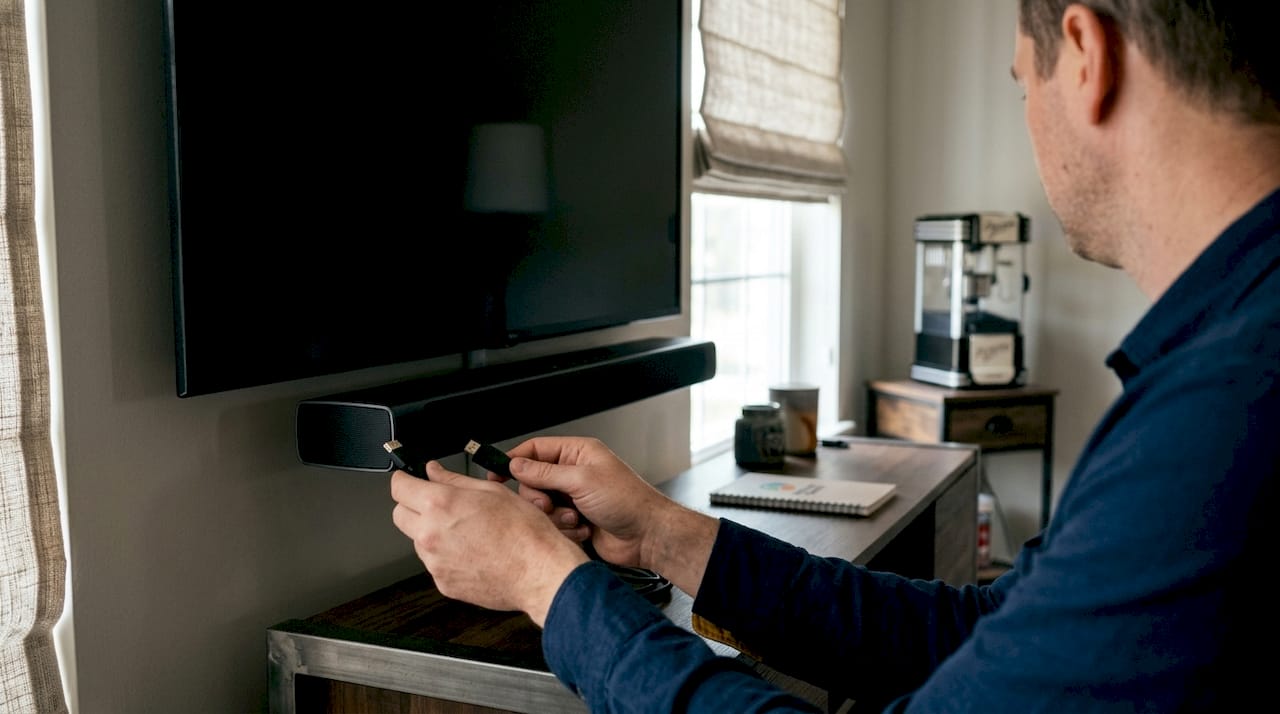
ARC also depends on a protocol called HDMI-CEC (Consumer Electronics Control). CEC is what lets your TV remote control your soundbar’s volume and display the volume level on your TV screen. Without CEC enabled, ARC still passes audio, but you lose the remote control convenience that makes the feature worth using.
The audio sources ARC can carry include your TV’s built-in tuner, streaming apps running on the TV itself, and any device connected directly to the TV. Think of it this way: ARC makes your TV the hub, and your soundbar the speaker.
How to set up HDMI ARC in five steps
- Connect your soundbar or AV receiver to the HDMI port labeled “ARC” on your TV.
- Power on both devices and open your TV’s settings menu.
- Enable HDMI-CEC. The setting may appear as “Anynet+” on Samsung TVs, “Bravia Sync” on Sony TVs, or “SimpLink” on LG TVs.
- Enable ARC or “Audio Return Channel” in your TV’s audio output settings.
- Set your TV’s audio output to “ARC” or “External Speaker.”
Pro Tip: If your TV remote does not control your soundbar’s volume after setup, go back and confirm CEC is enabled on both the TV and the soundbar. Many manufacturers ship TVs with CEC turned off by default.
What are the benefits and limitations of HDMI ARC?
ARC delivers three clear benefits over older audio connection methods. First, it eliminates the need for separate audio cables by enabling two-way communication over a single HDMI cable. Second, it integrates remote control functions through CEC, so one remote manages both your TV and soundbar. Third, it supports a wider range of audio formats than a standard optical cable, including Dolby Digital and DTS surround sound up to 5.1 channels.
The limitations are real and worth knowing before you buy. ARC’s bandwidth is capped at roughly 1 Mbps. That ceiling restricts it to compressed audio formats only. Dolby Digital and DTS 5.1 pass through fine, but lossless formats like Dolby TrueHD and DTS-HD Master Audio do not.
“ARC’s roughly 1 Mbps bandwidth limits audio formats to compressed surround sound. To experience lossless and immersive object-based audio, eARC is required.” — CinemaConfig
The practical consequence is that Dolby Atmos content may get downmixed or compressed when passing through ARC. If you own a premium soundbar capable of full Atmos decoding, ARC will not let it perform at its best. You will hear sound, but not the full experience the hardware can deliver.
- Reduced cable clutter: One HDMI cable replaces a separate optical or analog audio cable.
- Remote integration: CEC lets your TV remote control soundbar volume without a second remote.
- Broad device support: Works with most TVs, soundbars, and AV receivers made after 2009.
- Format limitation: Supports Dolby Digital and DTS up to 5.1 only. No lossless audio.
- CEC dependency: Full functionality requires CEC to be active on both devices.
- Single port restriction: Only one ARC-labeled port exists per TV, limiting connection options.
How does HDMI ARC compare to HDMI eARC?
HDMI eARC, or Enhanced Audio Return Channel, is the upgraded version of ARC introduced with the HDMI 2.1 specification. The core difference is bandwidth. eARC increases bandwidth to approximately 7 Mbps, compared to ARC’s roughly 1 Mbps. That is about a sevenfold increase. The extra bandwidth unlocks support for uncompressed multichannel audio and lossless formats including Dolby TrueHD, DTS-HD Master Audio, and lossless Dolby Atmos.
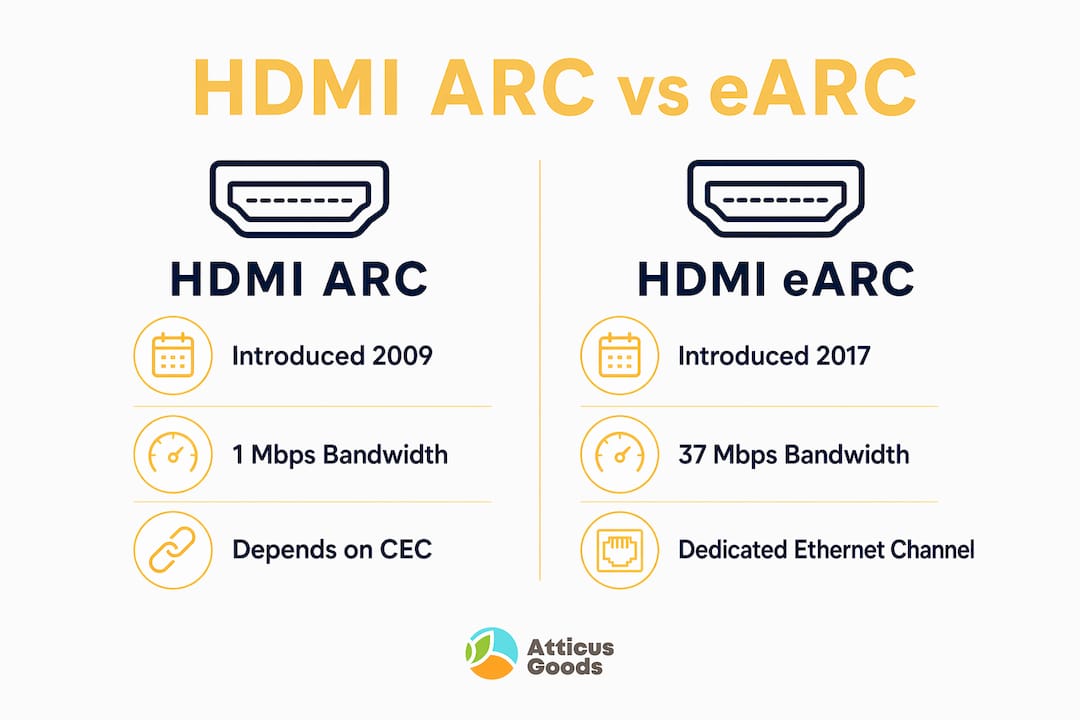
eARC also improves on ARC’s CEC dependency. It uses a dedicated Ethernet channel for communication instead of relying solely on CEC. This makes the connection more stable and reduces the setup friction that frustrates many ARC users.
| Feature | HDMI ARC | HDMI eARC |
|---|---|---|
| Introduced with | HDMI 1.4 (2009) | HDMI 2.1 |
| Bandwidth | ~1 Mbps | ~7 Mbps |
| Compressed surround (Dolby Digital, DTS 5.1) | Yes | Yes |
| Lossless audio (Dolby TrueHD, DTS-HD Master Audio) | No | Yes |
| Lossless Dolby Atmos | No | Yes |
| Control protocol | HDMI-CEC | Dedicated Ethernet channel |
| Best for | Streaming, budget soundbars | Blu-ray, gaming, premium soundbars |
The right choice depends on your setup. ARC suits streaming setups and budget soundbars perfectly well. If you stream Netflix or use a Roku TV with a mid-range soundbar, ARC delivers everything you need. eARC becomes necessary when you want lossless audio from a 4K Blu-ray player, a PlayStation 5, or a high-end soundbar like the Sonos Arc.
Pro Tip: To use eARC, all three components must support it: your TV, your HDMI cable (must be High Speed or Premium High Speed), and your audio device. One weak link in the chain drops the connection back to standard ARC.
How to troubleshoot and optimize your HDMI ARC connection
Most HDMI ARC problems trace back to three root causes: wrong port, disabled settings, or a silent negotiation failure. A silent negotiation failure is when the TV and soundbar fail to establish the ARC connection without showing any error message. Users often mistake this for a cable or hardware fault when the real fix is a settings change or a device restart.
Start your troubleshooting with these steps:
- Verify the port: Confirm your soundbar is connected to the HDMI port labeled “ARC” on your TV. Any other port will not return audio.
- Check CEC settings: Enable CEC and ARC in your TV’s audio or system settings. Check your soundbar’s settings menu as well.
- Restart both devices: Power off your TV and soundbar completely, then power them back on. This forces a fresh ARC handshake.
- Swap the HDMI cable: Older or low-quality cables can fail to carry ARC signals reliably. Use a certified High Speed HDMI cable.
- Check for firmware updates: TV and soundbar manufacturers regularly release updates that fix ARC compatibility bugs.
- Factory reset as a last resort: If nothing else works, reset your TV’s audio settings to default and reconfigure from scratch.
Pro Tip: If your TV shows audio output as “TV Speaker” even after connecting a soundbar via ARC, the ARC handshake has failed. Restart both devices and re-enable CEC before assuming the cable or hardware is defective.
One underappreciated issue is that ARC connected to the wrong port simply behaves like a standard HDMI port with no audio return. The TV will not warn you. You will just get no sound from your soundbar, which feels like a hardware problem but is actually a connection error.
If you consistently experience audio dropouts, format downgrades, or CEC instability, upgrading to an eARC-capable TV and soundbar is the most reliable long-term fix. The technology is now widely available at mainstream price points.
Key takeaways
HDMI ARC is the most practical audio connection for most home setups, but eARC is required for lossless and full-quality Dolby Atmos audio.
| Point | Details |
|---|---|
| ARC definition | HDMI ARC sends TV audio to a soundbar or receiver over a single HDMI cable. |
| Port matters | Connect only to the HDMI port labeled “ARC” or the feature will not work. |
| CEC is required | Enable HDMI-CEC on both TV and audio device for volume control and remote sync. |
| Format ceiling | ARC supports Dolby Digital and DTS up to 5.1 only. Lossless audio requires eARC. |
| Upgrade trigger | Choose eARC when using a 4K Blu-ray player, gaming console, or premium soundbar. |
Why HDMI ARC is still misunderstood in 2026
Most people who struggle with HDMI ARC are not dealing with a hardware problem. They are dealing with a labeling problem. The TV industry has never done a good job of explaining that “ARC” and “HDMI” are not the same thing, and that plugging into the wrong port produces zero feedback. You just get silence.
What I find genuinely useful about ARC is how much it simplifies everyday use once it is set up correctly. A single remote controlling your TV and soundbar sounds like a small thing until you have lived without it. The CEC integration is the real quality-of-life win, not the cable reduction.
The ARC versus eARC confusion is understandable. The names are nearly identical, the ports look the same, and the difference only shows up when you play a lossless Blu-ray or a Dolby Atmos track that your soundbar cannot fully decode over ARC. For most streaming households, ARC is more than enough. For anyone building a serious home theater with a 4K Blu-ray player and a high-end soundbar, eARC is not optional.
My honest advice: check your TV’s HDMI port labels before you buy a soundbar. If your TV only has ARC and you want Dolby Atmos TrueHD, you will need a new TV, not just a new soundbar. That is a detail most buyers discover too late.
— Matthew Vista
Premium audio devices for your HDMI ARC setup
Getting HDMI ARC right starts with the right hardware. A capable audio system paired with an ARC-enabled TV delivers noticeably better sound without the cable mess of older setups.

Atticus Goods carries a wide selection of consumer electronics built for modern home entertainment, including speaker systems like the Logitech Z906 5.1 surround system that pairs well with ARC-enabled TVs. Browse the full range of audio and AV devices at Atticus Goods, with over 35,000 products in stock and next-day shipping across the United States. Whether you are upgrading a living room setup or building a dedicated home theater, the right ARC-compatible gear is ready to ship.
FAQ
What does HDMI ARC stand for?
HDMI ARC stands for Audio Return Channel. It is a feature built into HDMI 1.4 and later that allows a TV to send audio to an external device over the same cable that carries video.
Does HDMI ARC support Dolby Atmos?
Standard HDMI ARC supports a compressed version of Dolby Atmos only. For full lossless Dolby Atmos, you need HDMI eARC on your TV, cable, and audio device.
Why is there no sound from my soundbar with HDMI ARC?
The most common cause is connecting to the wrong HDMI port or having CEC disabled. Confirm your soundbar is plugged into the port labeled “ARC” and that HDMI-CEC is enabled in your TV’s settings.
What devices support HDMI ARC?
Most TVs, soundbars, and AV receivers made after 2009 support HDMI ARC. Brands including Sony, Samsung, LG, Roku TV, and Sonos all include ARC support across their mainstream product lines.
Is eARC backward compatible with ARC?
Yes. An eARC port on your TV will work with a standard ARC soundbar, but the connection will operate at ARC speeds and format support. You only get eARC benefits when both devices support eARC.