

A mesh network is defined as a decentralized wireless system where multiple interconnected nodes work together to deliver a single, unified Wi-Fi network across your entire home or office. Unlike a traditional router setup, a mesh network has no single point of control. Every node communicates directly with the others, creating a web of coverage that eliminates dead zones and keeps your devices connected as you move through a space. If you have ever lost signal walking from your living room to your backyard, understanding what is a mesh network is the first step toward fixing that problem for good.
What is a mesh network and how does it work?
A mesh network operates through a group of nodes, sometimes called satellites or access points, that each broadcast Wi-Fi and talk to one another simultaneously. One node connects to your modem and acts as the primary gateway. The remaining nodes extend coverage by relaying signals across the network, forming a web rather than a single spoke. The result is one unified network with a single SSID, so your phone or laptop connects to the strongest node automatically without you doing anything.

The architecture differs fundamentally from a traditional star topology, where all traffic flows through one central router. In a mesh system, data can take multiple paths to reach its destination. Mesh networks use routing protocols rather than flooding to direct traffic, which means the system picks the best available path dynamically. That keeps performance consistent even when one node is busy or obstructed.
One of the most practical features of mesh networking is self-healing. If a node goes offline due to a power outage or interference, the network automatically reroutes data through the remaining nodes. Your connection stays up. That capability alone separates mesh systems from traditional hub-and-spoke setups, where a single router failure takes down the entire network.
- Nodes communicate directly with each other, not just with a central hub.
- Single SSID means all your devices see one network name and roam between nodes without manual switching.
- Self-healing routing keeps the network running if one node fails or loses signal.
- Proactive routing maintains internal path tables continuously, which lowers latency but uses more bandwidth. This makes it well suited for video calls and gaming.
- Reactive routing conserves bandwidth by building paths only when needed, which works better for light browsing and IoT sensors.
Pro Tip: If you plan to use your mesh network for video conferencing or online gaming, look for systems that support proactive routing protocols. The lower latency makes a noticeable difference during real-time applications.
What are the benefits of mesh networks over traditional Wi-Fi?
The most immediate benefit of a mesh network is consistent coverage across large or complex spaces. A single router placed in one corner of a 3,000-square-foot home will always leave weak spots. A mesh system with three or four nodes placed strategically covers the entire floor plan with strong, even signal. You stop experiencing the frustrating drop in speed when you walk into the garage or a back bedroom.
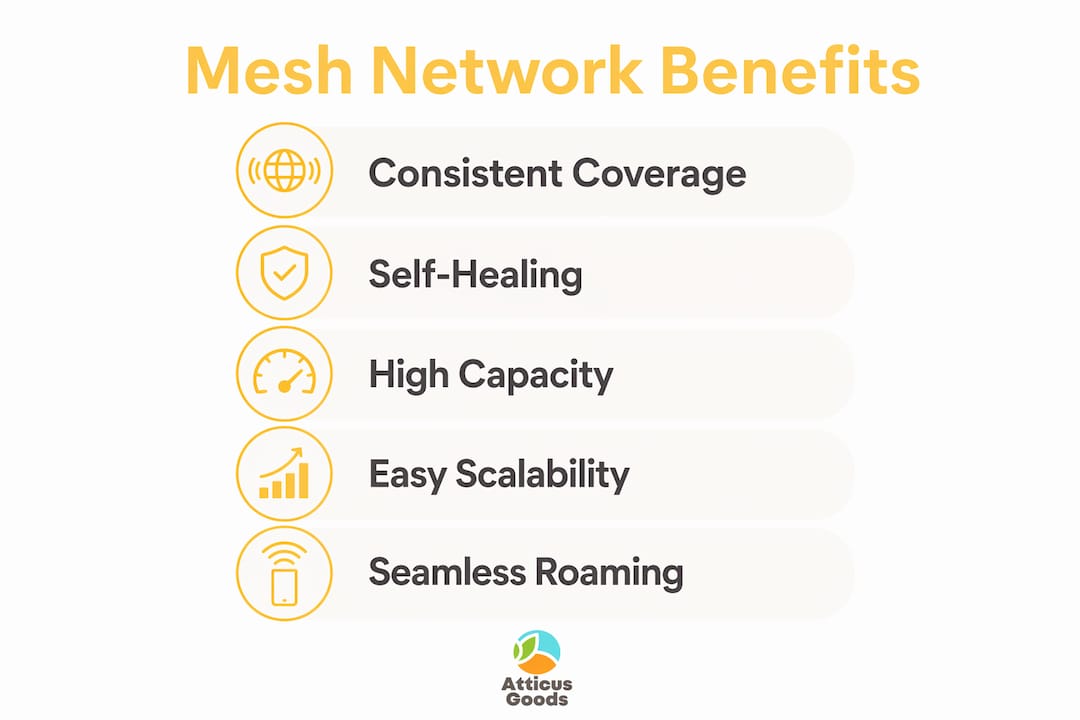
Reliability is the second major advantage. Mesh networks eliminate the single point of failure that makes traditional star-topology networks vulnerable. If one node goes down, the others pick up the slack. For a small business running point-of-sale systems, security cameras, or remote work tools, that kind of uptime matters.
Scalability sets mesh systems apart from both traditional routers and Wi-Fi extenders. You can add compatible nodes as your space grows without replacing the entire system. A home office that expands into a warehouse, or a retail shop that adds a back stockroom, can grow its network by plugging in one more node. That flexibility is difficult to match with a single-router setup.
- Dead zone elimination. Nodes placed throughout a space blanket every corner with signal, including garages, basements, and outdoor patios.
- Automatic device handoff. Your laptop or phone switches between nodes without dropping the connection, which matters during video calls.
- Improved IoT performance. Smart home devices, security cameras, and connected appliances perform better when they always connect to a nearby node rather than a distant router.
- Guest network support. Most mesh systems let you create a separate guest network across all nodes, so visitors get full coverage without accessing your main network.
- Reduced management overhead. One app controls the entire network, including parental controls, device prioritization, and firmware updates.
Mesh networks provide seamless coverage that improves guest Wi-Fi and IoT device performance in retail and office settings. That benefit extends to any environment where multiple devices compete for bandwidth across a large area.
What should you consider before setting up a mesh network?
Cost is the most common reason people hesitate. Mesh systems generally cost more upfront than traditional routers, but the investment pays off in coverage quality and long-term flexibility. A two-node starter kit typically covers a medium-sized home, while a three-node system handles larger spaces or multi-story buildings. For a small business, the cost of lost connectivity during a router failure often exceeds the price difference between a mesh system and a single router.
Node placement is the factor most owners get wrong. Nodes placed too far apart lose signal strength between them. Nodes placed too close together waste coverage potential and leave other areas uncovered. Optimal placement balances distance so each node maintains a strong connection to its neighbors while extending coverage into new areas. A good rule of thumb is to place each node where you already get at least a moderate signal from the previous one.
Pro Tip: Use the companion app that comes with your mesh system during setup. Most apps include a signal strength indicator that shows you in real time whether a node’s placement is strong enough. This removes the guesswork and saves you from repositioning nodes multiple times.
Key setup considerations to keep in mind:
- Avoid physical obstructions. Thick concrete walls, metal appliances, and large fish tanks all degrade signal between nodes.
- Elevate nodes when possible. Placing a node on a shelf rather than the floor improves its broadcast range.
- Check compatibility before expanding. Adding nodes from the same manufacturer and product line keeps the system working as designed.
- Use software-guided setup tools. Setup guidance tools reduce trial-and-error and improve network reliability from day one.
- Plan for wired backhaul if possible. Connecting nodes to each other via Ethernet cable instead of wirelessly improves speed and reduces latency significantly.
For a deeper look at installation and budgeting, the guide on setting up mesh Wi-Fi at home walks through the full process step by step.
When does a mesh network make the most sense?
Mesh networks work best in homes or offices too large or complex for a single router to cover effectively. A compact apartment with one or two rooms rarely needs a mesh system. A traditional router placed centrally handles that space well and costs less. The calculation changes the moment you add square footage, multiple floors, or architectural features like thick walls and long hallways.
Small businesses benefit from mesh networking in specific scenarios. A retail shop with a stockroom, a restaurant with indoor and outdoor seating, or a medical office spread across multiple suites all have layouts that defeat a single router. Mesh systems handle those environments by distributing coverage evenly and keeping staff devices, payment terminals, and customer Wi-Fi running without interruption.
Wi-Fi extenders are a common alternative, but they create a separate network with a different SSID. Your device does not switch automatically between the router and the extender. You often have to disconnect and reconnect manually. A mesh system solves that problem entirely by treating all nodes as one network. For a detailed side-by-side look, the comparison of mesh Wi-Fi vs router options covers the key differences for home and business buyers.
| Scenario | Best solution | Why |
|---|---|---|
| Small apartment, 1–2 rooms | Traditional router | Lower cost, adequate coverage |
| Large home, 2,500+ sq ft | Mesh system | Eliminates dead zones across floors |
| Office with complex layout | Mesh system | Distributes coverage evenly |
| Temporary coverage gap | Wi-Fi extender | Quick fix, lower cost |
| Growing business space | Mesh system | Add nodes without replacing hardware |
Key Takeaways
A mesh network delivers consistent, resilient Wi-Fi by distributing coverage across multiple nodes that self-heal, scale easily, and eliminate dead zones in large or complex spaces.
| Point | Details |
|---|---|
| Core definition | A mesh network uses multiple nodes to create one unified Wi-Fi network with a single SSID. |
| Self-healing design | If one node fails, the network reroutes data through remaining nodes automatically. |
| Node placement matters | Nodes too far apart degrade signal; use your system’s app to find the optimal position. |
| Cost vs. coverage tradeoff | Mesh systems cost more upfront but outperform single routers in large or complex spaces. |
| Best use cases | Large homes, multi-floor offices, retail spaces, and IoT-heavy environments benefit most. |
Why node placement is the detail most people underestimate
I have seen a lot of mesh network setups go sideways, and the culprit is almost always the same thing: people place nodes based on where the power outlets are, not where the signal actually needs to go. That is a natural instinct, but it produces a network that looks complete on paper and performs poorly in practice.
The single best thing you can do before placing any node is walk your space with your phone and note where the signal from your current router drops below usable strength. Those weak spots are exactly where your nodes need to go. Not near them. In them. The app that ships with most mesh systems will confirm whether your placement is working, but your own signal map gives you a head start.
Mesh networking is genuinely worth the investment for anyone running a home office, managing a small retail space, or living in a house where the router has always been in the wrong room. The technology has matured to the point where setup takes under an hour and the performance difference over a single router is immediate. For anyone building out a smart home or adding more wireless devices, the decentralized connectivity that mesh provides removes the ceiling on what your network can handle. Start with two nodes, use the app, and add a third only if you still find a weak spot. Most people are surprised by how little they need once placement is right.
— Matthew Vista
Atticus Goods has the wireless gear to complete your setup
A strong mesh network is only part of a well-connected home or office. The devices you use on that network matter just as much as the infrastructure behind them. Atticus Goods carries a wide range of wireless electronics built to perform on fast, reliable networks.

For home office users and gamers who want to take full advantage of low-latency mesh connectivity, the Logitech G PRO X 2 wireless headset delivers professional-grade audio with LIGHTSPEED wireless technology. If you want a more affordable option, the Logitech G321 wireless headset offers 20 hours of battery life and comfortable all-day wear. Atticus Goods ships next day across the United States, so your setup comes together fast.
FAQ
What is the mesh network definition in simple terms?
A mesh network is a group of wireless nodes that work together as one Wi-Fi network, covering large spaces without dead zones. Each node communicates with the others so your devices always connect to the strongest signal available.
How does a mesh network differ from a Wi-Fi extender?
A Wi-Fi extender creates a separate network with its own SSID, requiring manual switching between connections. A mesh network uses one SSID across all nodes, so your devices switch automatically without any interruption.
Are mesh networks worth the cost for small businesses?
Mesh networks are worth the cost for businesses with large or complex layouts, multiple floors, or high device counts. For compact single-room offices, a traditional router is usually more cost-effective.
How many nodes does a mesh network need?
Most homes and small offices start with two or three nodes. The right number depends on square footage, wall materials, and the number of floors. You can always add nodes later without replacing the existing system.
Can a mesh network support smart home and IoT devices?
Mesh networks are well suited for IoT devices because every node provides strong local coverage, reducing the distance each device must communicate. That shorter connection improves reliability for smart thermostats, cameras, and connected appliances.