

A network gateway is a hardware or software node that connects two or more networks using different protocols, translating data between them so each side can communicate. Every time your computer sends a request to a website, a gateway decides where that data goes next. Without it, your devices would have no path to the internet or to other networks. Understanding the network gateway definition is not just a technical exercise. For small business owners and home users, it directly affects how you configure, secure, and troubleshoot your entire network.
What is a network gateway and how does it differ from a router?
A network gateway acts as a translator and security gatekeeper for all traffic entering or exiting a network. That definition separates it from a router, which simply forwards packets within the same type of network. A gateway does something more: it interprets and converts data between networks that speak different protocols.
Routers operate at Layer 3 of the OSI model, handling IP addressing and basic packet forwarding. Gateways operate up to Layer 7), which means they can read and translate application-level data. That extra depth is what makes gateways capable of connecting a legacy office system running one protocol to a modern cloud service running another.

Switches are different again. A switch connects devices within the same network, moving data between computers, printers, and servers on your local area network. A gateway connects your local network to an outside network, such as the internet or a partner’s system. Think of a switch as the hallways inside a building and the gateway as the front door.
Many users confuse gateways with routers because gateway is a role), not always a separate piece of hardware. Your home router almost certainly performs gateway functions already. Recognizing this distinction simplifies network management considerably.
Pro Tip: Run ipconfig on Windows or ifconfig on Mac to see your current default gateway address. If it shows 0.0.0.0 or is blank, your device cannot reach the internet, and the gateway is the first place to check.
What are the main types of network gateways?
Gateways fall into several categories based on what they connect and how they translate data. Each type serves a specific purpose, and knowing which one fits your situation prevents over-spending on hardware you do not need.
Protocol gateways convert data between networks using different communication standards. A classic example is connecting an older serial device network to a modern TCP/IP network. These are common in manufacturing and industrial settings.
Internet gateways are the most familiar type for home and small business users. They connect your local network to your ISP’s network, handling address translation through NAT (Network Address Translation) so multiple devices can share one public IP address.
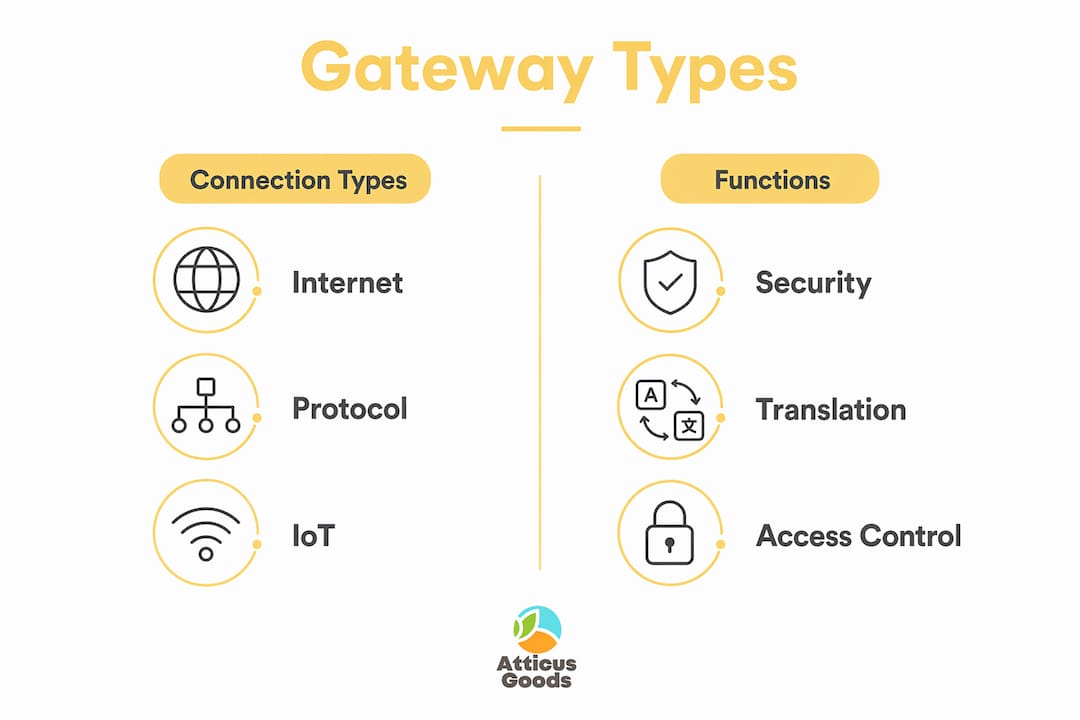
IoT gateways sit between smart devices and the cloud. A smart thermostat, security camera, or connected sensor often uses a lightweight protocol like MQTT or Zigbee. The IoT gateway translates these signals into standard internet traffic so cloud platforms can process them. These are increasingly relevant for small businesses adding smart devices to their operations.
Security gateways combine firewall, proxy, and content filtering functions. Enterprise-grade gateways act as firewalls and proxy servers to filter malicious traffic before it reaches internal systems. Small businesses handling customer payment data benefit most from this type.
| Gateway type | Primary function | Typical use case | Complexity |
|---|---|---|---|
| Internet gateway | NAT and ISP connection | Home and small office internet access | Low |
| Protocol gateway | Protocol translation | Connecting legacy and modern systems | Medium |
| IoT gateway | Device-to-cloud translation | Smart devices, sensors, retail automation | Medium |
| Security gateway | Traffic filtering and inspection | Businesses handling sensitive data | High |
For most home users and small businesses, an internet gateway built into a modem-router combo covers all basic needs. ISP-provided modem-router combos frequently combine modem and router functions into a single gateway device, which reduces both cost and setup complexity.
What is the default gateway and why does it matter?
The default gateway is the specific IP address your device sends traffic to when the destination is outside your local network. Every device on your network needs this address configured correctly. Without it, your computer can talk to other devices on the same Wi-Fi network but cannot reach the internet at all.
Misconfiguring the default gateway causes complete failure of external communication. That means no email, no cloud apps, no payment processing. For a retail business, a wrong gateway address can take down point-of-sale systems mid-shift.
The most common default gateway problems follow a predictable pattern:
- Wrong IP address entered manually. A typo in the gateway field blocks all outbound traffic immediately.
- DHCP server failure. If your router stops assigning addresses automatically, devices may receive no gateway address at all.
- Gateway device offline. If the router or modem-router combo loses power or crashes, every device on the network loses its exit point.
- Subnet mismatch. The gateway address must be on the same subnet as the device. An address on a different subnet is unreachable even if the router is working perfectly.
Default gateways control traffic leaving the local network, and misconfiguration impacts key network services in business environments. Payment terminals, inventory systems, and cloud-based accounting tools all depend on a correctly set gateway address.
Pro Tip: On Windows, open Command Prompt and type ipconfig /all. Look for “Default Gateway” under your active network adapter. The address should match your router’s IP, typically 192.168.1.1 or 192.168.0.1 on most home and small office networks.
How can you secure and optimize your network gateway?
Your gateway is the single point where all external traffic enters and exits your network. That makes it the most important security checkpoint you control.
- Keep firmware updated. Router and gateway firmware patches fix known vulnerabilities. Most attacks on home and small business networks exploit outdated firmware, not sophisticated zero-day exploits. Check your device manufacturer’s website monthly.
- Change default login credentials. Every gateway ships with a default admin username and password. Attackers know these defaults. Change both immediately after setup.
- Enable the built-in firewall. Most modem-router combos include a basic firewall. Confirm it is active in your router’s admin panel. For businesses handling customer data, a dedicated security gateway adds a second layer of inspection.
- Segment your network. Create a separate guest Wi-Fi network for visitors and IoT devices. This keeps smart devices isolated from computers that store sensitive business data.
- Monitor traffic logs. Many gateway devices log connection attempts and data usage. Reviewing these logs monthly reveals unusual activity before it becomes a serious problem.
Gateways are the critical integration layer that makes cloud and IoT environments functional. As small businesses add more connected devices, the gateway becomes responsible for more traffic types, more protocols, and more potential attack surfaces. A business-grade router configured as a gateway handles this load far better than a basic consumer device.
For businesses running fiber connections, the gateway also determines how well your physical infrastructure performs under load. A fast fiber line paired with an underpowered gateway creates a bottleneck at the exact point where speed matters most. Pairing your connection with fiber optic infrastructure and a capable gateway device closes that gap.
Key Takeaways
A network gateway is the most critical device in your network because it controls every packet that leaves or enters your local environment, translates protocols, and enforces security rules.
| Point | Details |
|---|---|
| Gateway vs. router | A gateway translates protocols across different networks; a router forwards packets within the same network type. |
| Default gateway matters | A misconfigured default gateway address cuts off all external communication, including internet and cloud services. |
| Your router is likely a gateway | ISP modem-router combos already perform gateway functions; dedicated hardware is rarely needed for home or small office use. |
| Security starts at the gateway | Keeping firmware updated and enabling the built-in firewall protects your entire network at its most exposed point. |
| IoT adds gateway complexity | Smart devices use lightweight protocols that require an IoT gateway to translate traffic before it reaches the cloud. |
Why most gateway problems are simpler than they look
Most people I talk to assume gateway issues require a technician. They picture complex hardware failures or deep network misconfigurations. The reality is almost always simpler. The vast majority of gateway failures in small business environments trace back to a single misconfigured IP address or a router that has not been rebooted in months.
The confusion between gateways and routers is the root of most misunderstandings. Once you accept that “gateway” describes a function rather than a specific device, the whole picture becomes clearer. Your ISP’s modem-router combo is already your gateway. You do not need to buy anything new to have a functioning gateway. You need to understand what it does and check its settings when something goes wrong.
The one area where I consistently see small business owners underinvest is firmware. A gateway running two-year-old firmware is a known vulnerability sitting at the edge of your network. Updating it takes five minutes and closes more security gaps than any additional hardware purchase. Start there before spending money on anything else.
Understanding your gateway also changes how you troubleshoot. When the internet goes down, most people restart every device in sequence. If you know your gateway’s IP address and can ping it directly, you isolate the problem in under a minute. That knowledge saves time and prevents unnecessary panic during a busy workday.
— Matthew Vista
Networking hardware at Atticus Goods
Atticus Goods carries networking hardware suited for home setups and small business environments, including routers, switches, and network accessories from trusted brands. Whether you need a replacement modem-router combo to serve as your primary gateway or a managed switch to expand your local network, the catalog covers both entry-level and business-grade options with next-day shipping across the United States.

For businesses adding devices to their network, the Netgear 5-Port Multi-Gigabit Switch pairs well with any gateway setup, giving you fast local connections without replacing your existing hardware. Browse the full electronics section at Atticus Goods to find the right fit for your network at a competitive price.
FAQ
What is a network gateway in simple terms?
A network gateway is a device or software that connects two different networks and translates data between them. It acts as the exit and entry point for all traffic moving between your local network and the internet.
Is a gateway the same as a router?
A router is a common device that performs gateway functions, but the two terms are not identical. Gateway describes the role of connecting and translating between different networks; a router is the hardware that often fills that role in home and small business setups.
Is a gateway a firewall?
A gateway can include firewall functions, but a firewall is not automatically a gateway. Security gateways combine traffic filtering, proxy services, and protocol translation, making them both a gateway and a firewall simultaneously.
What happens if the default gateway is wrong?
A misconfigured default gateway address means your device cannot send any traffic outside the local network. You lose internet access, cloud services, and any external communication until the correct address is restored.
Do I need a separate gateway device for my small business?
Most small businesses do not need dedicated gateway hardware. ISP-provided modem-router combos already handle gateway functions. A separate device becomes necessary only when you connect multiple network types or require advanced security filtering.