

Gigabit Ethernet is a wired network technology that transmits data at 1 gigabit per second (Gbps), making it the dominant standard for local area networks in homes and businesses today. Standardized under IEEE 802.3ab as 1000BASE-T, it runs over Cat5e, Cat6, or higher copper cables and delivers ten times the throughput of its predecessor, Fast Ethernet. Unlike gigabit internet service from your ISP, gigabit Ethernet defines the speed of your local network, the connection between your router, switch, PC, and other devices. Understanding the difference matters if you want to diagnose slow transfers, plan a network upgrade, or simply get the most out of your hardware.
What is gigabit Ethernet and how does it work technically?
Gigabit Ethernet achieves 1 Gbps by using a signaling method that sends data simultaneously across all four twisted pairs in a copper cable. Each pair carries data in both directions at the same time, which is what makes full-duplex operation possible. This is a meaningful departure from older Fast Ethernet, which used only two pairs and operated in half-duplex mode on shared segments.
The governing standard is IEEE 802.3ab, ratified in 1999. The “T” in 1000BASE-T stands for twisted-pair copper, and the “1000” refers to the 1,000 Mbps (1 Gbps) data rate. The standard supports a maximum cable run of 100 meters, which covers virtually every room-to-room or floor-to-floor installation in a typical home or office building.
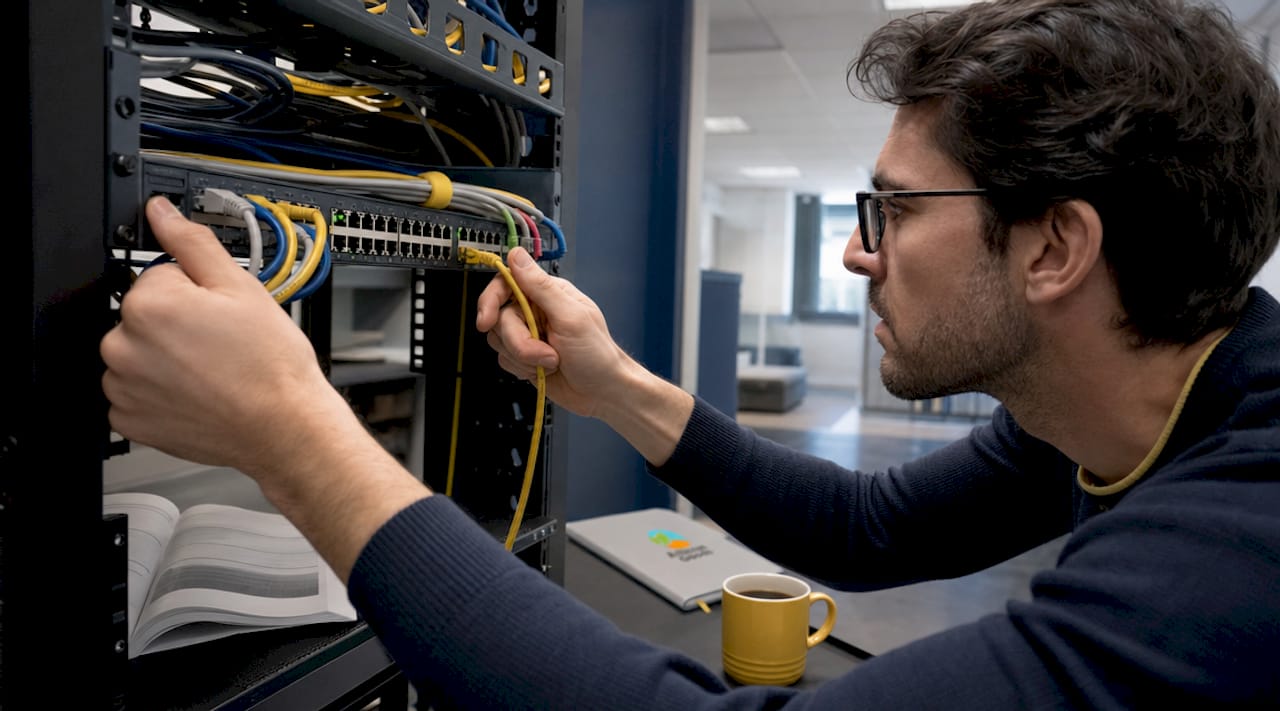
Cable quality matters more than most people realize. The standard requires Cat5e at minimum, though Cat6 is the practical recommendation for new installations because it handles crosstalk better at gigabit frequencies. Cat6A and Cat7 go further, but they are overkill for standard 1000BASE-T deployments.
For longer distances or backbone connections, fiber optic variants handle the job. Standards like 1000BASE-LX and 1000BASE-SX cover single-mode and multimode fiber respectively, supporting runs from 550 meters up to 5 kilometers depending on the fiber type. These are common in commercial buildings and campus networks where copper’s 100-meter limit is a constraint.
- 1000BASE-T: Copper twisted pair, Cat5e or better, 100 m max, most common in homes and offices
- 1000BASE-SX: Multimode fiber, up to 550 m, used for short building backbone runs
- 1000BASE-LX: Single-mode or multimode fiber, up to 5 km, used for campus and inter-building links
- 1000BASE-CX: Short copper twinax, 25 m max, used in data center patch applications
Pro Tip: When running new cable, always install Cat6 even if you only need gigabit speeds today. The marginal cost difference over Cat5e is small, and Cat6 gives you headroom for 2.5G or 5G Ethernet standards that are becoming common on newer hardware.
Gigabit Ethernet vs Fast Ethernet: what are the real benefits?
The most direct benefit is speed. Fast Ethernet tops out at 100 Mbps, while gigabit Ethernet delivers up to 1,000 Mbps, a tenfold increase. In practice, real-world throughput on a gigabit connection runs around 900 Mbps after protocol overhead. That still represents a massive gain for tasks like transferring large files between a NAS device and a workstation, where a 10 GB file moves in roughly 90 seconds instead of 15 minutes.
The comparison with Wi-Fi is equally important. Wireless networks share bandwidth across all connected devices, suffer from interference from neighboring networks, walls, and appliances, and introduce variable latency. A wired gigabit connection gives you a dedicated, interference-free channel with consistent latency that wireless simply cannot match. For more detail on when to choose one over the other, the Atticus Goods guide on Ethernet vs Wi-Fi breaks down the tradeoffs clearly.
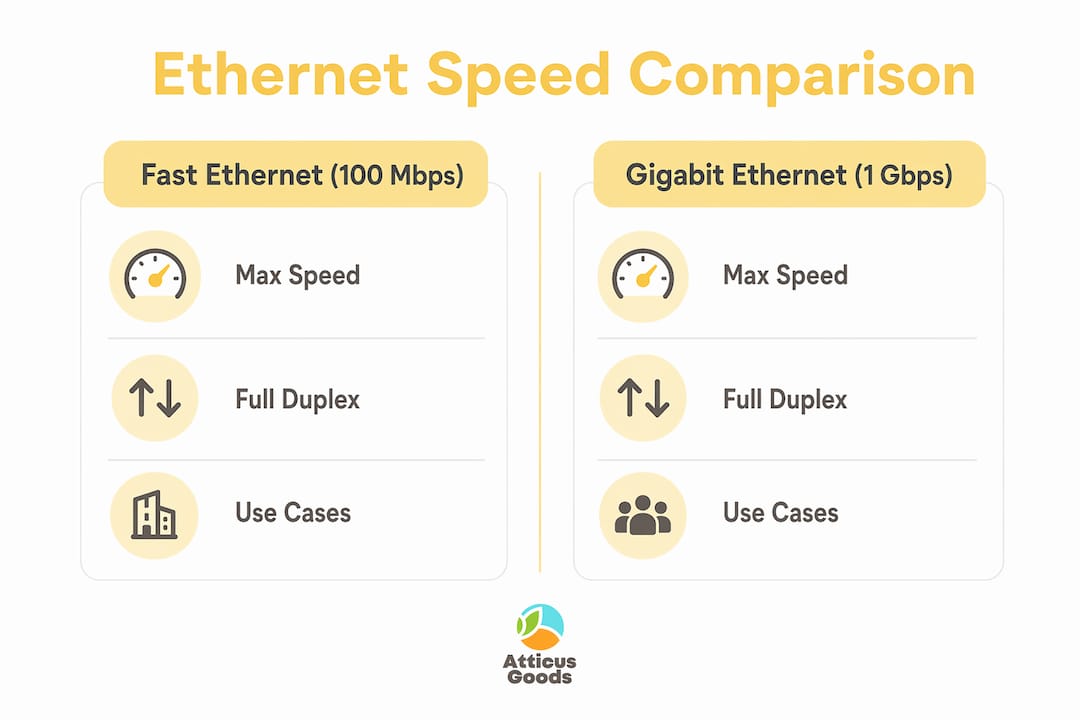
| Feature | Fast Ethernet (100 Mbps) | Gigabit Ethernet (1 Gbps) |
|---|---|---|
| Max speed | 100 Mbps | 1,000 Mbps |
| Real-world throughput | ~94 Mbps | ~900 Mbps |
| Cable requirement | Cat5 or better | Cat5e or better |
| Full-duplex support | Yes | Yes, over all four pairs |
| Typical use case | Basic browsing, email | 4K streaming, gaming, NAS, video conferencing |
Full-duplex operation is another concrete advantage. Because gigabit Ethernet transmits and receives simultaneously over all four pairs, you get the full 1 Gbps in each direction at the same time. A video call that uploads your stream while downloading the other participants’ feeds uses both directions at once, and gigabit Ethernet handles that without any speed penalty on either side.
For gaming specifically, the latency advantage over Wi-Fi is measurable. Wired gigabit connections typically deliver sub-1 ms local network latency, compared to 5 to 30 ms on a typical 5 GHz Wi-Fi connection. The difference is not always perceptible in casual play, but in competitive gaming where frame timing matters, a wired connection removes one variable entirely.
Where is gigabit Ethernet actually used?
Gigabit Ethernet is the standard port on virtually every piece of networking hardware sold today. Routers from ASUS, TP-Link, and Netgear have shipped with gigabit WAN and LAN ports as the default for over a decade. Managed switches from Netgear, Cisco, and Ubiquiti offer gigabit ports across their entire product lines, from 5-port desktop units to 48-port rack-mounted switches.
At home, the most common applications are:
- NAS devices: Synology and QNAP network-attached storage units rely on gigabit connections to serve media and backups to multiple devices simultaneously without bottlenecking.
- Gaming setups: Consoles like the PlayStation 5 and Xbox Series X include gigabit Ethernet ports, and competitive PC gamers wire their rigs directly to the router or switch.
- 4K streaming servers: Plex and Jellyfin media servers benefit from gigabit connections when transcoding and serving 4K content to multiple clients at once.
- Smart home hubs: Devices managing security cameras, home automation, and video doorbells perform more reliably on wired gigabit connections than on Wi-Fi.
In business environments, gigabit Ethernet supports high-bandwidth applications like VoIP phone systems, point-of-sale terminals, video conferencing endpoints, and IP security cameras. A retail store running a POS system, inventory scanner, and video surveillance on the same network needs the headroom gigabit provides. Reliable wired connectivity also matters for inventory management systems where network dropouts cause transaction errors.
For backbone connections between floors or buildings, fiber variants of gigabit Ethernet carry traffic between switches and routers without the 100-meter copper limit. A typical mid-size office building uses 1000BASE-LX fiber between its main distribution frame and each floor’s access switches, then copper 1000BASE-T for the final runs to desks and access points.
Pro Tip: If you are deploying a managed switch for a small business, look for models with dedicated 10G SFP+ uplink ports. The Netgear Gigabit PoE+ Smart Switch includes four 10G SFP+ ports alongside gigabit access ports, giving you a future-ready uplink without replacing the entire switch.
How do you achieve true gigabit speeds and fix common problems?
Getting advertised gigabit speeds requires every component in the chain to support the standard. A single 100 Mbps device anywhere in the path will cap that link at 100 Mbps. Here is a systematic approach to verifying and troubleshooting your gigabit connection:
-
Check link negotiation first. On Windows, open Device Manager, find your network adapter, and check its connection speed in Properties. On macOS, hold Option and click the Wi-Fi icon (or check System Information for Ethernet). The reported link speed should read 1000 Mbps. If it shows 100 Mbps, the problem is at the physical layer.
-
Inspect the cable. Poor crimps, damaged patch cords, or runs exceeding 100 meters are the most common causes of link speed downgrades. Look for bent pins in RJ-45 connectors, kinks in the cable, or staples driven through the jacket. Any of these can degrade signal quality enough to force a fallback to 100 Mbps.
-
Verify the switch port. Plug a known-good device directly into the switch port in question. If that device also negotiates at 100 Mbps, the port or its SFP module may be faulty. Try a different port on the switch.
-
Check the NIC on both ends. Both the network interface card in your PC and the port on your switch must support 1000BASE-T for gigabit speeds. Older PCs, budget embedded systems, and some IoT devices ship with 100 Mbps NICs. Replacing a NIC with a PCIe gigabit card from Intel or Realtek costs under $20 and immediately resolves the bottleneck.
-
Run a local speed test. Use a tool like iPerf3 to measure throughput between two devices on your local network. This isolates local network performance from your ISP’s speed, confirming whether the issue is inside your network or at the internet connection.
-
Replace patch cables with certified Cat5e or Cat6. Bulk cable sold without certification markings often fails to meet the electrical specifications for 1000BASE-T. Use cables marked with TIA/EIA-568 compliance for reliable gigabit operation.
Key takeaways
Gigabit Ethernet is the wired network standard that delivers 1 Gbps local speeds over Cat5e or better copper cable, and every component from the NIC to the switch port must support 1000BASE-T to achieve those speeds.
| Point | Details |
|---|---|
| Core standard | 1000BASE-T (IEEE 802.3ab) runs at 1 Gbps over Cat5e/Cat6 copper, max 100 m. |
| Real-world throughput | Expect around 900 Mbps in practice due to protocol overhead, still far above Fast Ethernet. |
| Full-duplex advantage | All four twisted pairs carry data simultaneously in both directions, maximizing effective bandwidth. |
| End-to-end hardware | Every device in the chain, NIC, cable, and switch port, must support gigabit for full speeds. |
| Fiber for distance | 1000BASE-LX and 1000BASE-SX extend gigabit Ethernet beyond copper’s 100-meter limit. |
Why gigabit is still the baseline, but not the ceiling
I have been specifying and deploying networks for a long time, and the question I hear most often is whether gigabit Ethernet is still worth installing or whether people should skip straight to 2.5G or 10G. My honest answer is that gigabit remains the correct baseline for most deployments, but the ceiling is rising faster than most people expect.
The reason gigabit holds up is simple: the majority of devices in a home or small business network do not saturate a 1 Gbps link individually. A 4K stream from Plex uses roughly 40 to 80 Mbps. A VoIP call uses under 1 Mbps. Even a busy gaming session rarely pushes past 10 Mbps of sustained throughput. The bottleneck for most users is not the local network. It is the internet connection, the storage device’s read/write speed, or the CPU handling the application.
Where I do recommend looking beyond gigabit is in the network backbone and for workstations doing heavy file work. If you are running a NAS that serves multiple users simultaneously, or editing video files directly from a network share, a multi-gigabit switch with 2.5G or 5G ports makes a noticeable difference. The good news is that 2.5G Ethernet runs over the same Cat5e cable as gigabit, so you do not need to rewire anything.
The practical recommendation: wire everything with Cat6 today, deploy gigabit switches and NICs as your standard, and upgrade the specific links that show congestion to multi-gig as the hardware becomes affordable. That approach costs less than a full 10G deployment and delivers most of the benefit.
— Matthew Vista
Build your gigabit network with Atticus Goods
Whether you are wiring a home office or upgrading a business network, having the right hardware makes the difference between a connection that negotiates at 100 Mbps and one that delivers the full gigabit experience.
Atticus Goods carries a broad selection of networking gear, from managed gigabit switches and Cat6 patch cables to professional video conferencing equipment that performs best on a stable wired connection. With over 35,000 products in stock and next-day shipping across the United States, you can find everything you need to build or upgrade your network in one place. Browse the full range of networking hardware at Atticus Goods and get your gigabit setup running at full speed.
FAQ
What speeds does gigabit Ethernet offer?
Gigabit Ethernet transmits at a maximum of 1,000 Mbps (1 Gbps). Real-world throughput runs around 900 Mbps after accounting for protocol overhead, which is still ten times faster than Fast Ethernet.
Is gigabit Ethernet the same as gigabit internet?
No. Gigabit Ethernet defines local network speed, the connection between devices inside your home or office. Gigabit internet is a separate service tier offered by your ISP for the connection between your router and the internet.
What cables does gigabit Ethernet require?
The 1000BASE-T standard requires Cat5e cable at minimum, with Cat6 recommended for new installations. Cable runs must stay within 100 meters, and connector quality matters. Poor crimps or damaged cables cause the link to fall back to 100 Mbps.
Does gigabit Ethernet improve gaming performance?
A wired gigabit connection delivers sub-1 ms local network latency and eliminates the interference and bandwidth sharing that affect Wi-Fi. For competitive gaming, this removes a measurable source of inconsistency that wireless connections cannot fully avoid.
Do all devices support gigabit Ethernet?
Most routers, switches, and computers sold since 2010 include gigabit ports, but older PCs, budget IoT devices, and some embedded systems still ship with 100 Mbps NICs. Both the NIC and the switch port must support 1000BASE-T for a gigabit connection to negotiate successfully.