

A smart home hub is a central control device that connects smart devices from different brands and protocols, letting them communicate and automate together as one system. Without a hub, devices like Zigbee door sensors, Z-Wave locks, and Wi-Fi thermostats operate in separate silos, each requiring its own app. A hub translates between protocols and processes automation logic locally, so your devices respond to each other instantly. The industry term for this capability is “interoperability,” and it is the defining feature that separates a true hub from a simple smart speaker or bridge. As your device count grows, a hub stops being optional and starts being the backbone of a functional smart home.
What is a smart home hub and how does it work?
A smart home hub works by acting as a translator between devices that speak different wireless languages. Zigbee, Z-Wave, Thread, and Wi-Fi are all distinct communication protocols. A device built on Zigbee cannot natively talk to a device built on Z-Wave. The hub holds radios for each protocol and converts messages between them, so a Zigbee motion sensor can trigger a Z-Wave smart lock without any manual input from you.
Beyond translation, hubs run automation logic directly on their own hardware. This is called local processing, and it matters more than most buyers realize. Local processing means your automations fire instantly and keep working even when your internet goes down. Cloud-dependent devices, by contrast, send every command to a remote server and wait for a response. That round trip adds latency and creates a single point of failure.
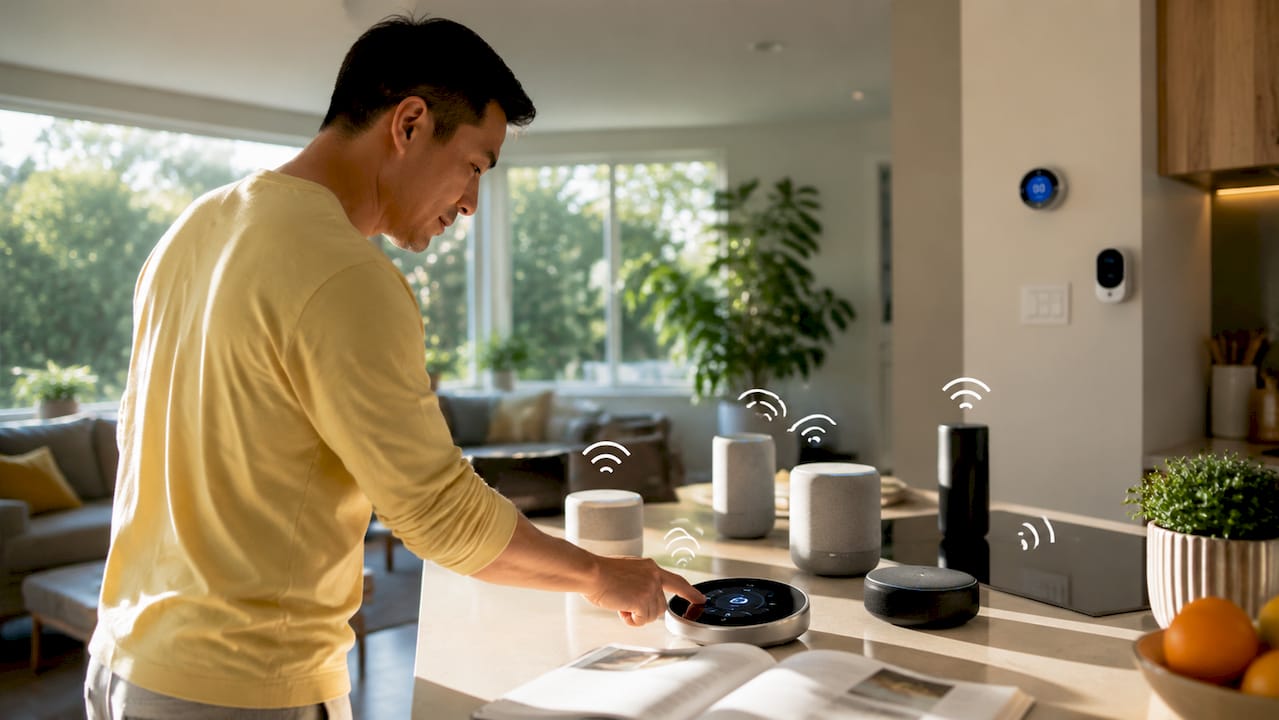
Hubs also reduce Wi-Fi congestion in your home. Zigbee and Z-Wave devices form their own mesh networks, offloading traffic from your main router. A home with 30 smart devices on Wi-Fi alone will strain most consumer routers. A hub moves the majority of that traffic onto dedicated low-power radio bands, keeping your network stable. Pairing a hub with a well-configured router is a practical step worth taking early. A solid home network setup prevents the connectivity problems that make smart homes feel unreliable.
Common automations a hub enables include:
- Motion-triggered lighting scenes that adjust color and brightness based on time of day
- Security routines that lock doors, arm sensors, and send alerts when you leave home
- Morning sequences that raise blinds, start the coffee maker, and adjust the thermostat at a set time
- Leak detection responses that shut off a smart water valve automatically when a sensor fires
Pro Tip: Set your most critical automations, like door locks and security alerts, to run on local processing only. If your hub offers a cloud-off mode or local-only option, use it for anything security-related.
What types of smart home hubs are available?
Smart home hubs fall into three broad categories, and the right one depends on your technical comfort level and how many devices you plan to manage.
Dedicated hardware hubs
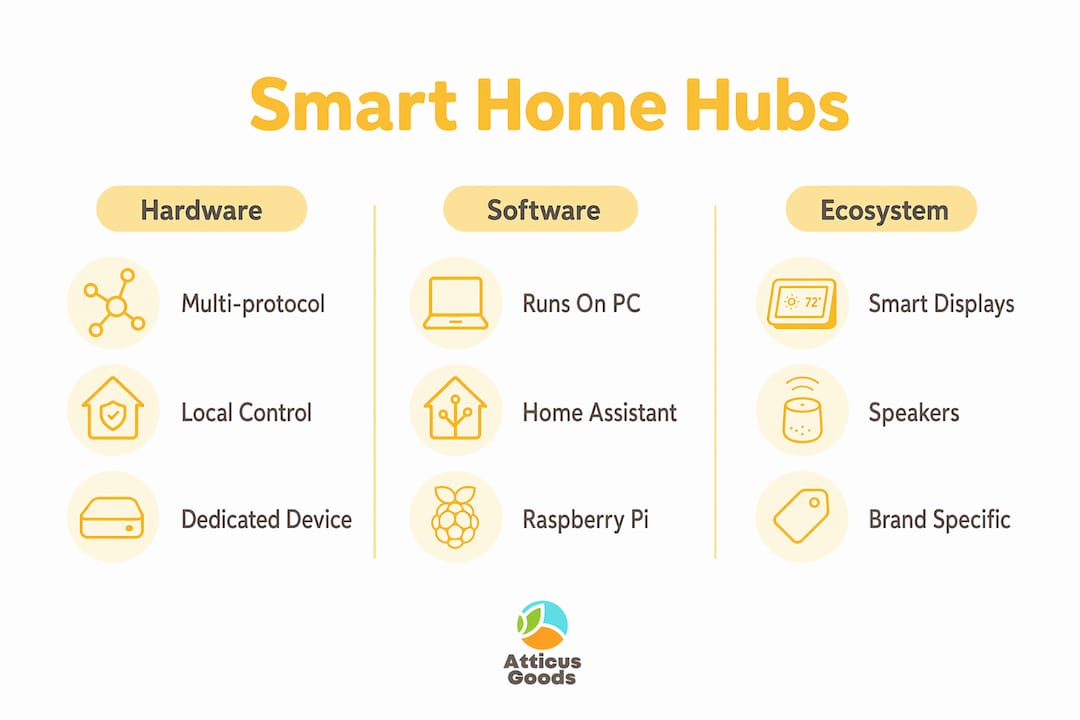
Dedicated hardware hubs are purpose-built devices with multiple protocol radios built in. They prioritize device control and interoperability over media playback or voice assistance. These hubs typically support Zigbee, Z-Wave, Thread, and the newer Matter standard simultaneously. They offer the fastest local processing and the broadest device compatibility. If you plan to mix brands or build a large system, a dedicated hub is the right starting point.
Software-based hubs
Software hubs like Home Assistant run on local hardware you provide, such as a Raspberry Pi or a dedicated mini PC. Home Assistant offers deep customization and avoids cloud dependency entirely, but it requires meaningful technical skill to set up and maintain. Advanced users who want full control over their data and integrations consistently choose this path. It is not the right starting point for most homeowners.
Ecosystem hubs
Ecosystem hubs are smart speakers and displays that double as home automation controllers. Apple HomeKit, for example, uses an Apple TV or HomePod as a hub. These devices are easy to set up and work well within their own ecosystems. The tradeoff is real: ecosystem hubs often lack the speed and broad protocol compatibility of dedicated hardware hubs. They work best when your device collection stays within one brand family.
| Hub type | Best for | Protocol support | Technical skill needed |
|---|---|---|---|
| Dedicated hardware hub | Mixed-brand, multi-protocol setups | Zigbee, Z-Wave, Thread, Matter, Wi-Fi | Low to moderate |
| Software hub (e.g., Home Assistant) | Advanced users, full local control | Varies by add-on hardware | High |
| Ecosystem hub (smart speaker/display) | Single-brand setups, beginners | Primarily Wi-Fi and Matter | Very low |
Pro Tip: If you are buying your first dedicated hub, prioritize one that supports Matter alongside Zigbee and Z-Wave. Matter is becoming the common language for new smart devices, and a hub that speaks it will stay relevant longer.
What are the benefits of a smart home hub?
The core benefit of a smart home hub is unified control across devices from different manufacturers. Without a hub, you manage each brand through its own app. With a hub, one interface controls everything. That shift alone reduces friction significantly for daily use.
The deeper benefits show up in automation. Hubs allow devices from entirely different manufacturers to trigger each other. A Zigbee door sensor can tell a Z-Wave thermostat to adjust when you arrive home. That kind of cross-brand automation is impossible without a hub acting as the intermediary. The result is a home that responds to your behavior rather than requiring you to manage each device manually.
Reliability improves as well. Local processing hubs avoid cloud latency and maintain automation during outages, which is critical for security-related routines. A cloud-dependent lock that fails during an internet outage is a liability. A locally processed lock routine is not.
Key benefits at a glance:
- Single control interface across all brands and protocols
- Cross-brand automation that individual apps cannot replicate
- Faster response times through local processing
- Continued operation during internet outages
- Reduced Wi-Fi load by routing Zigbee and Z-Wave traffic off your main network
- Future-proofing through multi-protocol and Matter support
Do you need a smart home hub for your setup?
Not every smart home needs a hub. The decision depends on three factors: how many devices you own, how many brands you mix, and how complex your automations are.
- Count your devices. If you own fewer than five smart devices, all from the same brand, a hub adds little value. The brand’s native app handles control and basic automation adequately.
- Check your brand mix. The moment you combine devices from different manufacturers, a hub becomes necessary for efficient automation. Native apps do not communicate across brands.
- Assess your automation goals. Simple schedules, like turning a light on at sunset, work fine without a hub. Multi-step routines that chain devices together require one.
- Consider your network. More than 15 Wi-Fi smart devices on a single router creates congestion. A hub with Zigbee or Z-Wave support offloads that traffic and stabilizes your network. Reviewing your home networking checklist before adding more devices is a practical step.
- Think about the future. The ecosystem trap is real. Committing to a single brand today limits your options as your system grows. A multi-protocol hub keeps every future purchase on the table.
Pro Tip: Buy the hub before you hit the wall. Most homeowners add a hub reactively, after frustration with disconnected apps. Buying one early, even with just a handful of devices, sets the right foundation and saves you from re-doing your setup later.
Key Takeaways
A smart home hub is the single most important device for any multi-brand, multi-protocol smart home setup, because it provides local automation, cross-device control, and long-term flexibility that no standalone app can match.
| Point | Details |
|---|---|
| Core function | A hub translates between Zigbee, Z-Wave, Thread, and Wi-Fi so devices from different brands work together. |
| Local processing matters | Automations run locally on the hub, keeping your routines fast and functional during internet outages. |
| Three hub types | Dedicated hardware, software-based, and ecosystem hubs each suit different skill levels and setup sizes. |
| When you need one | Mixed-brand setups, more than 15 Wi-Fi devices, or complex multi-step automations all call for a hub. |
| Future-proofing | Choose a hub with Matter support alongside Zigbee and Z-Wave to avoid ecosystem lock-in as you expand. |
The part most buyers get wrong about smart home hubs
Most homeowners I talk to think a smart home hub makes their home smarter. It does not, not exactly. A hub makes you smarter about your home by giving you real control over devices that would otherwise operate in isolation. That reframe matters when you are deciding what to buy.
The biggest mistake I see is choosing an ecosystem hub, like a smart speaker, as a permanent solution. It feels like the easy path, and it is, until you want to add a device from outside that ecosystem. Then you hit a wall. Dedicated hardware hubs with Zigbee, Z-Wave, and Matter support cost more upfront, but they pay for themselves in flexibility within the first year of serious use.
The Matter standard is worth watching, but it has not made dedicated hubs irrelevant. Matter improves interoperability at the device level, but it does not replace the local processing and automation logic that a good hub provides. Think of Matter as a better common language and the hub as the brain that still needs to run the conversation.
My practical advice: start with a dedicated hub that supports at least three protocols, set your critical automations to run locally, and resist the pull of single-brand ecosystems. Your future self, adding a new device category you have not thought of yet, will thank you.
— Matthew Vista
Smart home hubs and accessories at Atticus Goods
Atticus Goods carries a broad selection of smart home hubs, networking devices, and home automation accessories across multiple protocols and price points.

Whether you are setting up your first hub or expanding a system that already spans dozens of devices, Atticus Goods stocks options that cover Zigbee, Z-Wave, Thread, and Matter. The catalog includes both entry-level plug-and-play hubs and advanced multi-protocol controllers for homeowners who want deeper automation. With next-day shipping across the United States and over 90,000 products in stock, finding the right smart home gear is straightforward. Browse the full selection and read verified customer reviews to make a confident purchase before your next automation project.
FAQ
What is the smart home hub definition in simple terms?
A smart home hub is a central device that connects and controls smart devices from different brands and wireless protocols, like Zigbee, Z-Wave, and Wi-Fi, through one unified system.
How does a smart hub work without internet?
Hubs with local processing run automation logic directly on their own hardware, so routines continue to fire even when your internet connection goes down.
Do I need a hub if all my devices are the same brand?
A single-brand setup typically does not require a hub, since the brand’s native app handles control and automation. A hub becomes necessary when you mix brands or protocols.
What is the difference between a smart hub and a smart speaker?
Dedicated smart hubs prioritize device control, multi-protocol support, and local processing. Smart speakers prioritize voice assistance and media playback, and they offer limited protocol compatibility compared to dedicated hubs.
Does Matter replace the need for a smart home hub?
Matter improves device-level interoperability but does not replace the local automation logic and multi-protocol translation that a dedicated hub provides. Hubs remain relevant even as Matter adoption grows.