

Wi-Fi 6, formally known as IEEE 802.11ax, is the wireless standard that delivers the most significant leap in network efficiency and device capacity since Wi-Fi was invented. For business owners and IT decision-makers asking why upgrade to Wi-Fi 6 business networks, the answer is direct: your current infrastructure was not built for the density of devices, cloud applications, and real-time collaboration tools your team uses every day. Wi-Fi 6 solves that problem through three core technologies: OFDMA, MU-MIMO, and Target Wake Time. Each one addresses a specific failure point in older wireless networks, and together they produce a measurably faster, more reliable connection for every device on your floor.
Why upgrade to Wi-Fi 6 for business networks?
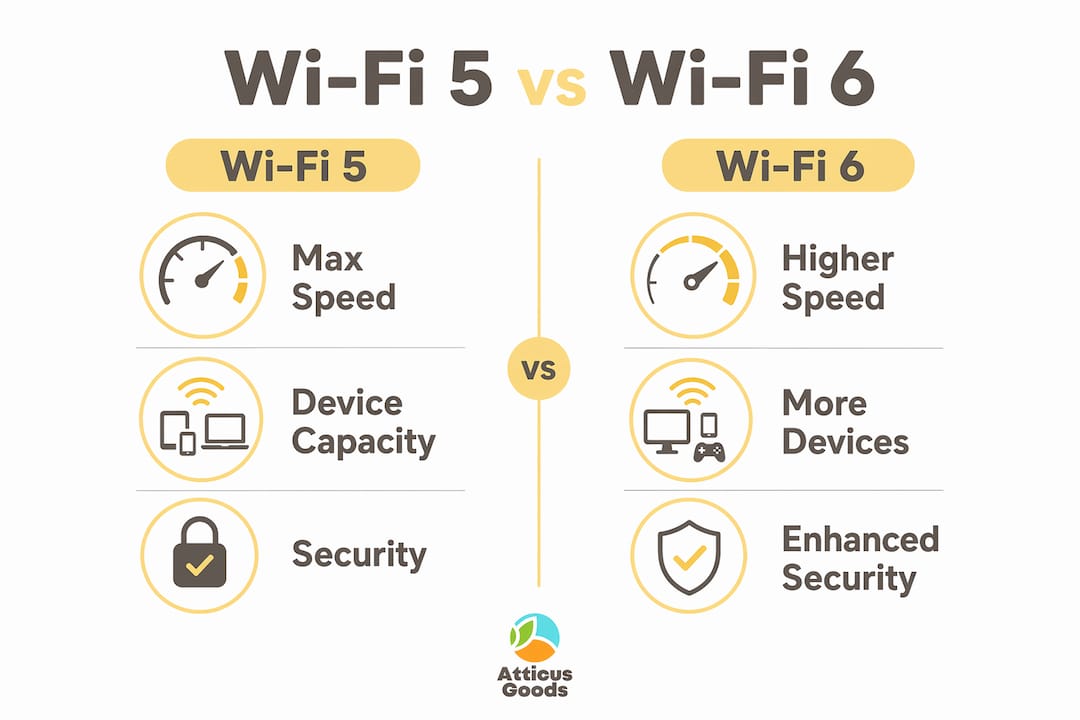
Wi-Fi 6 is built around one principle: efficiency under load. Where Wi-Fi 5 was designed to maximize peak speed for a single device, Wi-Fi 6 is engineered to serve many devices simultaneously without degrading performance for any of them.
The key technical features that make this possible are:
- OFDMA (Orthogonal Frequency Division Multiple Access): Splits a single wireless channel into smaller sub-channels. Each sub-channel serves a different device at the same time, reducing congestion during peak hours.
- MU-MIMO (Multi-User, Multiple Input, Multiple Output): Wi-Fi 6 expands MU-MIMO to support up to 8 simultaneous data streams in both directions, up from 4 downlink-only streams in Wi-Fi 5. This doubles effective throughput capacity in dense office environments.
- Target Wake Time (TWT): Schedules when IoT devices wake up to transmit data. TWT extends battery life by up to 70% for sensors and mobile devices, which directly cuts maintenance and replacement costs across large IoT deployments.
- BSS Coloring: Tags wireless signals from neighboring access points so devices can ignore interference from adjacent networks. This is especially valuable in multi-tenant office buildings where dozens of networks overlap.
Pro Tip: Do not evaluate Wi-Fi 6 access points by their maximum theoretical speed rating. Prioritize coverage and device concurrency over benchmark numbers. A lower-spec Wi-Fi 6 AP that handles 50 concurrent devices cleanly will outperform a high-spec unit that chokes under real office load.
These features work together to address the actual pain in business networks: dropped video calls, sluggish cloud app response, and IoT sensors that drain batteries in weeks. Wi-Fi 6 reduces dropped connections and network sluggishness during peak hours, which translates directly to fewer interruptions for your team.

How does Wi-Fi 6 compare with Wi-Fi 5 and Wi-Fi 7?
The comparison between Wi-Fi 5 and Wi-Fi 6 is not primarily about raw speed. Wi-Fi 6 delivers 2–3 times more per-device throughput in high-density environments compared to Wi-Fi 5. That gap widens as you add more devices to the network.
| Feature | Wi-Fi 5 (802.11ac) | Wi-Fi 6 (802.11ax) | Wi-Fi 7 (802.11be) |
|---|---|---|---|
| Max simultaneous streams | 4 (downlink only) | 8 (uplink and downlink) | 16 |
| OFDMA support | No | Yes | Yes (enhanced) |
| Target Wake Time | No | Yes | Yes |
| BSS Coloring | No | Yes | Yes |
| Business ecosystem maturity | Mature | Mature | Early stage |
| Upgrade recommendation | Replace now | Deploy now | Wait 12–18 months |
Wi-Fi 7 will eventually surpass Wi-Fi 6 in raw throughput and multi-link operation. However, Wi-Fi 7 market readiness is limited in 2026, and most client devices, including laptops, phones, and tablets, do not yet support it natively. Waiting for Wi-Fi 7 means running an underperforming network for another year or more while your competitors operate on a faster, more reliable standard.
The business case for Wi-Fi 6 is strong right now for three reasons:
- Hardware pricing has matured, making enterprise-grade Wi-Fi 6 access points accessible for small and mid-sized businesses.
- The client device ecosystem is fully aligned, with most devices sold since 2020 supporting Wi-Fi 6 natively.
- The operational gains are immediate and measurable from day one of deployment.
For most businesses, upgrading now rather than waiting for Wi-Fi 7 is the correct call. Wi-Fi 6 covers every current business use case, from video conferencing to warehouse IoT, without compromise.
What does a successful Wi-Fi 6 deployment actually require?
Planning a Wi-Fi 6 upgrade is not as simple as swapping out access points. The most common mistake IT teams make is upgrading only the wireless layer while leaving the wired infrastructure unchanged.
-
Conduct a wireless site survey first. Wi-Fi 6’s channel scheduling and client density patterns differ significantly from older generations. A site survey tailored to Wi-Fi 6 determines the correct number and placement of access points for your specific floor plan and device count. Skipping this step leads to coverage gaps and wasted hardware spend.
-
Upgrade your wired backhaul. Wi-Fi 6 access points require switches with multi-gigabit uplinks and sufficient Power over Ethernet (PoE) budgets. Upgrading only APs without backhaul creates new bottlenecks at the switch level, negating the wireless gains entirely.
-
Align the upgrade with your hardware refresh cycle. IT strategists recommend synchronizing Wi-Fi 6 upgrades with other network hardware refreshes to maximize cost-effectiveness. If your switches are already due for replacement, doing both projects together saves significant labor and downtime.
-
Verify client device readiness. Wi-Fi 6 is backward compatible, so older devices will still connect. However, only Wi-Fi 6 capable clients will benefit from OFDMA and MU-MIMO. Audit your device fleet and prioritize replacing the oldest hardware to maximize the return on your access point investment.
-
Deploy network monitoring tools from day one. Tools like Cisco Meraki Dashboard, Aruba Central, or PRTG Network Monitor give you visibility into device counts, channel utilization, and latency trends. Without monitoring, you cannot confirm the upgrade is performing as expected or catch emerging issues before they affect users.
Pro Tip: Check your wired and wireless infrastructure together before purchasing any hardware. A network audit that covers both layers will surface bottlenecks you did not know existed and prevent a costly partial upgrade.
What operational benefits do businesses see after upgrading to Wi-Fi 6?
The operational impact of a Wi-Fi 6 upgrade shows up in measurable ways across IT, finance, and daily operations. These are not theoretical gains. They are outcomes businesses report after deployment.
“Wi-Fi 6 focuses on efficiency and consistency under load rather than peak theoretical speed. For business use cases, that distinction is everything.”
Latency drops significantly. Upgrading to Wi-Fi 6 reduces network latency by up to 75%, which directly improves real-time applications like Microsoft Teams, Zoom, and cloud-based ERP systems. Lower latency means video calls stay clear, file transfers complete faster, and point-of-sale systems respond without delay.
IT support costs fall. Businesses see fewer helpdesk calls about wireless connectivity issues after Wi-Fi 6 deployment. When the network handles device density without dropping connections, the volume of “my Wi-Fi is slow” tickets drops sharply. That frees your IT team for higher-value work.
IoT deployments become sustainable. Wi-Fi 6 efficiently handles the constant, low-bandwidth chatter of IoT devices, from smart thermostats to inventory scanners. Combined with TWT’s battery life extension, large IoT deployments become far cheaper to maintain over a three to five year period.
Security improves with WPA3. Wi-Fi 6 access points ship with WPA3 encryption as standard. WPA3 closes known vulnerabilities in WPA2, including brute-force dictionary attacks on passwords. For businesses handling customer data or operating under compliance frameworks like PCI-DSS or HIPAA, this upgrade alone justifies the investment.
Hybrid work runs better. In environments reliant on video conferencing and cloud SaaS tools, Wi-Fi 6’s higher throughput and low latency translate into faster, smoother collaboration. Employees working from the office get a connection that matches or exceeds what they experience at home on a modern router.
Key Takeaways
Upgrading to Wi-Fi 6 delivers measurable gains in latency, device capacity, IoT efficiency, and security that directly reduce IT costs and improve daily business operations.
| Point | Details |
|---|---|
| Latency reduction | Wi-Fi 6 cuts network latency by up to 75%, improving real-time apps like Teams and Zoom. |
| Device capacity | OFDMA and MU-MIMO serve more devices simultaneously without degrading per-device performance. |
| IoT battery savings | Target Wake Time extends IoT device battery life by up to 70%, lowering maintenance costs. |
| Upgrade timing | Wi-Fi 6 ecosystem maturity makes now the right time to upgrade; Wi-Fi 7 is not yet ready for most businesses. |
| Infrastructure planning | Upgrading access points alone is not enough. Switches, cabling, and PoE budgets must be addressed together. |
Wi-Fi 6 is a network decision, not a gadget purchase
I have watched businesses spend serious money on Wi-Fi 6 access points and then wonder why their network still feels slow. Almost every time, the problem is the same: they treated the upgrade as a hardware swap instead of a network project.
The honest truth about Wi-Fi 6 is that its benefits are real, but they are conditional. You will not see the latency and capacity gains unless your switches can handle multi-gigabit throughput and your site survey was done correctly. The technology does exactly what it promises. The failure point is almost always the planning, not the product.
I also hear a lot of “should we just wait for Wi-Fi 7?” from IT managers who have been burned by upgrading too early in previous cycles. My answer is no, not for most businesses in 2026. Wi-Fi 7 client support is still limited, and the operational problems your team faces today, dropped calls, slow cloud apps, IoT devices dying every few months, are problems Wi-Fi 6 solves right now. Waiting another year or two while your network struggles is not a neutral decision. It has a real cost in productivity and IT overhead.
The smarter move is to upgrade to Wi-Fi 6 now with a proper infrastructure plan, then evaluate Wi-Fi 7 when the client ecosystem catches up. That is not settling for second best. That is making a sound business decision based on what actually works today.
— Matthew Vista
Upgrade your business network with Atticus Goods
A Wi-Fi 6 upgrade is only as good as the hardware behind it. Atticus Goods carries a wide selection of Wi-Fi 6 access points, networking gear, and business connectivity hardware, all available with next-day shipping across the United States.

The Netgear WAX610 Wi-Fi 6 access point is a strong starting point for small and mid-sized business deployments, offering indoor coverage with 1.8 Gbps throughput capacity. For teams upgrading their meeting room technology alongside their network, Atticus Goods also stocks video conferencing equipment that performs best on a Wi-Fi 6 connection. Browse the full range of networking and electronics products at Atticus Goods and find the right hardware for your upgrade project.
FAQ
What is Wi-Fi 6 and why does it matter for business?
Wi-Fi 6 (IEEE 802.11ax) is the current wireless standard designed for high-density, high-demand environments. It improves network efficiency, reduces latency by up to 75%, and supports more simultaneous devices than Wi-Fi 5.
Is Wi-Fi 6 backward compatible with older devices?
Yes. Wi-Fi 6 access points support legacy devices running Wi-Fi 4 and Wi-Fi 5. Older devices connect normally, though they do not benefit from OFDMA or MU-MIMO improvements.
Should I wait for Wi-Fi 7 instead of upgrading to Wi-Fi 6 now?
Wi-Fi 7 client device support remains limited in 2026, and most current business needs are fully covered by Wi-Fi 6. Upgrading now delivers immediate operational gains without waiting for an immature ecosystem.
How long does a business Wi-Fi 6 upgrade take?
Deployment time depends on office size and infrastructure complexity. A single-floor office with a proper site survey and switch upgrades typically completes in one to three days.
Does Wi-Fi 6 improve security compared to Wi-Fi 5?
Yes. Wi-Fi 6 access points include WPA3 encryption as standard, which closes known WPA2 vulnerabilities and provides stronger protection for business data and compliance-sensitive environments.
Recommended
- Wi-Fi 6 vs Wi-Fi 5: What You Need to Know – Atticus Goods
- Netgear WAX610 Wi-Fi 6 IEEE 802.11 a/b/g/n/ac/ax/i 1.80 Gbit/s – Atticus Goods
- Netgear WAX610Y Wi-Fi 6 IEEE 802.11 a/b/g/n/ac/ax/i 1.80 Gbit/s – Atticus Goods
- Netgear Nighthawk M6 MR6150 Wi-Fi 6 IEEE 802.11ax Ethernet Wireless – Atticus Goods