

Picking the best smart TV means balancing four things: picture quality, operating system usability, connectivity, and long-term value. The right choice is not the one with the most specs on the box. It is the one that fits your room, your budget, and how you actually watch. Panel technologies like OLED and Mini-LED, HDR formats like Dolby Vision, and ports like HDMI 2.1 all play a role. This guide cuts through the noise and tells you exactly what to prioritize before you spend a dollar.
What display technologies should you prioritize?
Display technology is the single biggest factor in picture quality. Two panel types dominate the current market: OLED and Mini-LED LCD. Each has real strengths and real weaknesses, and the right pick depends on your room and viewing habits.
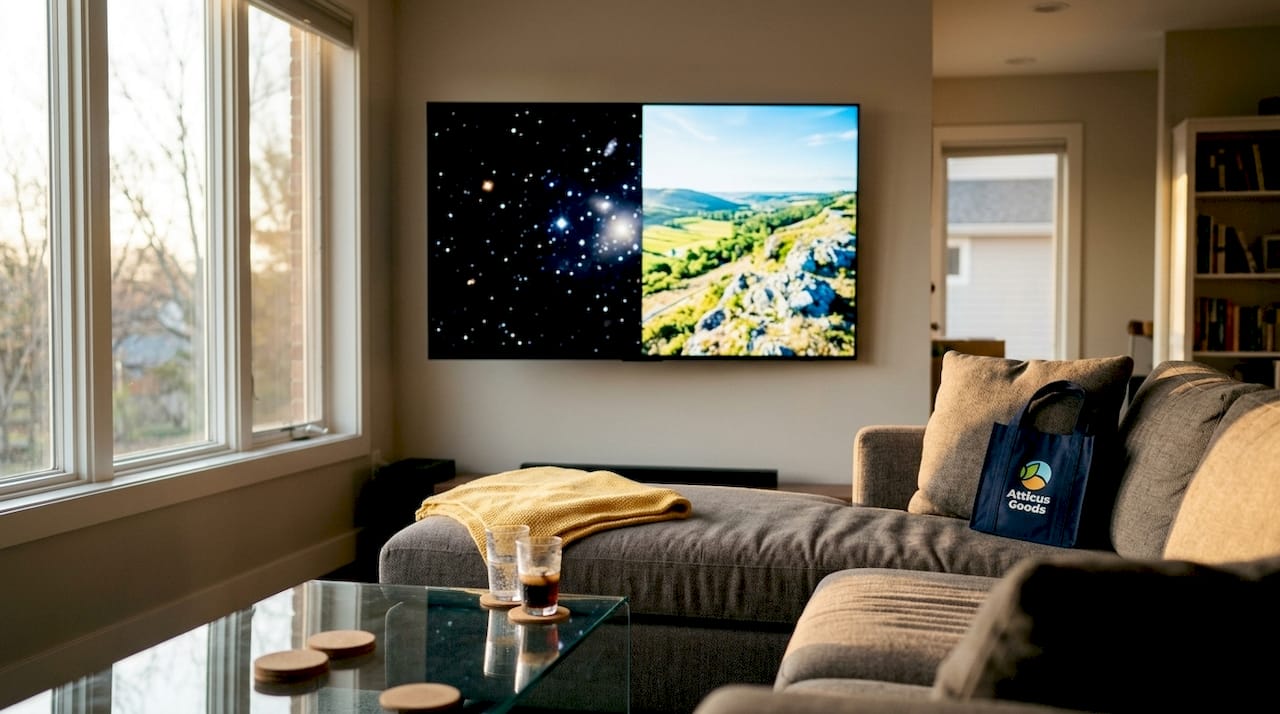
OLED vs. Mini-LED: the core trade-off
OLED panels produce perfect black levels because each pixel generates its own light and can switch off completely. That gives you infinite contrast and stunning color depth, especially in dark rooms. The trade-off is peak brightness. OLED panels are dimmer than Mini-LED displays in bright environments, which matters if your living room gets direct sunlight in the afternoon.
Mini-LED LCD panels use thousands of tiny LEDs behind the screen to control local dimming zones. They reach higher peak brightness than OLED, making them better suited for bright rooms. The downside is blooming, a faint glow around bright objects on dark backgrounds. Budget Mini-LED sets like the TCL QM6K deliver 80–90% of flagship performance at under $800. That is a meaningful value gap compared to flagship OLED sets that often retail above $2,000.
Resolution and HDR: what actually improves the picture
HDR matters more than 8K for real-world picture quality. HDR expands the range of brightness, contrast, and color your TV can display. Dolby Vision is the most widely supported HDR format in 2026, and it delivers frame-by-frame metadata for more accurate color grading. HDR10+ is a solid alternative on sets that do not support Dolby Vision.
Native 8K content remains scarce as of 2026. A high-quality 4K OLED or Mini-LED panel with strong image processing will outperform a baseline 8K set in every practical viewing scenario. Spend your budget on panel quality and HDR support, not pixel count.
Refresh rate and gaming performance
A 120Hz refresh rate is the standard for gaming and fast motion. It reduces motion blur on sports broadcasts and makes next-gen console gaming feel noticeably smoother. 95% of top-rated TVs include at least two HDMI 2.1 ports, which are required for 4K at 120Hz from a PlayStation 5 or Xbox Series X. If gaming is part of your plan, HDMI 2.1 is not optional.
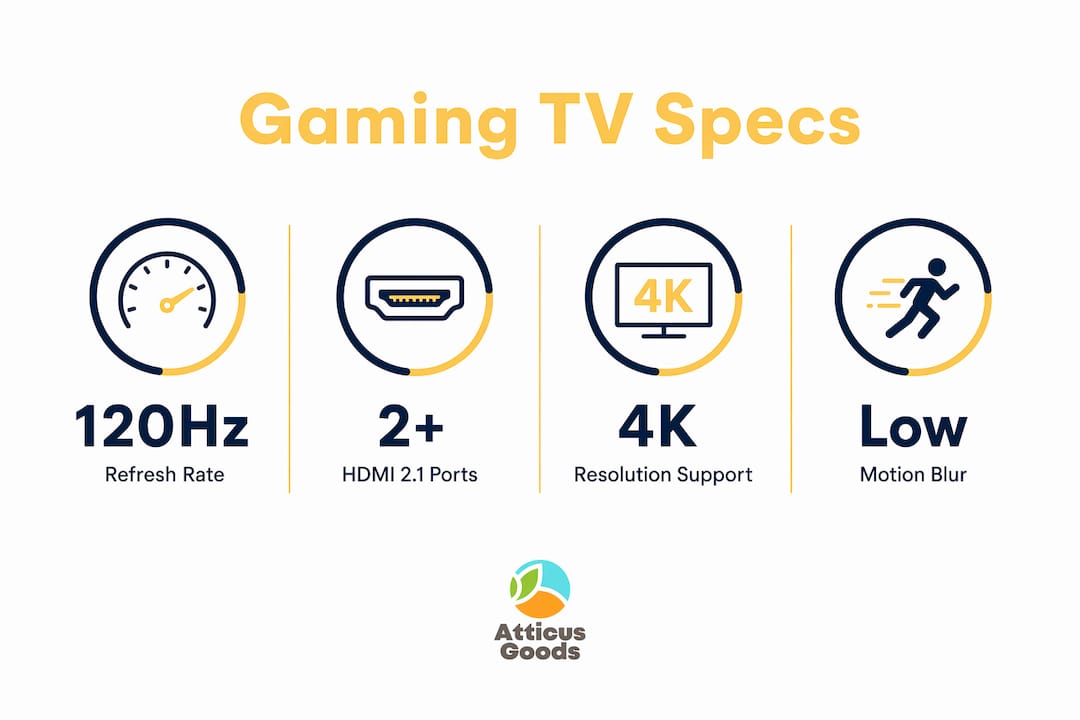
Pro Tip: Test motion handling by watching a fast-panning sports clip in the store. If the image smears or stutters, the panel’s native refresh rate may be lower than advertised.
| Feature | OLED | Mini-LED LCD |
|---|---|---|
| Black levels | Perfect (pixel-level off) | Very good (local dimming zones) |
| Peak brightness | Moderate | High |
| Best room type | Dark or dim rooms | Bright or mixed-light rooms |
| Typical price range | $1,500 and up | $500 and up |
| Blooming risk | None | Moderate |
Which smart TV operating systems matter most?
The operating system determines how fast your TV responds, how many apps it supports, and how long it stays useful. Hardware specs fade in importance if the software becomes sluggish or unsupported after two years.
Google TV and Roku OS each support over 5,000 streaming apps, making them the most app-complete platforms available. Google TV integrates tightly with Android phones, Google Assistant, and Google Home devices. Roku OS is platform-agnostic, meaning it works equally well regardless of what phone or smart home ecosystem you use.
Tizen and webOS offer tighter integration with their respective hardware brands and tend to have cleaner, faster interfaces out of the box. Both support major smart home protocols including Matter, HomeKit, Alexa, and Google Home. If you already own a smart home hub or voice assistant, check that your chosen OS supports it before buying.
Budget TVs often stop receiving firmware updates after 2–3 years, which reduces app compatibility and creates security gaps. Premium sets from established brands typically receive longer update cycles. That difference in software support is a real factor in how long your TV stays useful.
Pro Tip: If your TV’s built-in OS feels slow or cluttered, a standalone streaming device like a Roku Streaming Stick or Google Chromecast with Google TV can replace it entirely. Standalone streaming devices often deliver faster interfaces and fewer embedded ads than built-in platforms.
- Google TV: Best for Android users and Google Home households
- Roku OS: Best for platform-neutral buyers who want maximum app selection
- Tizen: Tight hardware integration, clean interface, strong gaming features
- webOS: Excellent remote usability, strong streaming app library
- Matter and HomeKit support: Available across all four major platforms in 2026
How does your room environment affect the right choice?
Your living room is not a neutral testing environment. Lighting conditions, room size, and furniture layout all push you toward or away from specific display technologies.
Ambient light strongly affects perceived picture quality. A bright room with windows facing the screen will wash out an OLED panel’s contrast advantage. In that setting, a Mini-LED or QLED display with higher peak brightness will look better in practice, even if its black levels are technically inferior. Match your panel type to your room’s lighting before anything else. You can find a detailed breakdown of how lighting affects your TV choice in this guide to lighting solutions from Atticus Goods.
Size selection follows a simple rule: the right screen size depends on your viewing distance. A 65-inch TV works well at 8–10 feet. A 75-inch or larger screen suits rooms where you sit 10–12 feet away. Going too large in a small room creates eye strain. Going too small in a large room loses the immersive effect you paid for.
Here are four practical steps for matching a TV to your environment:
- Measure your viewing distance first. Divide the distance in inches by 1.5 to get the ideal screen size in inches. A 120-inch viewing distance suggests an 80-inch screen as the upper limit.
- Check your room’s light sources. Note whether windows face the screen directly, and at what time of day. Bright rooms favor Mini-LED or QLED panels.
- Audit your furniture before buying. Many 65–75 inch TVs have wide-stance legs that do not fit older media consoles. Measure your console’s top surface before the TV arrives.
- Plan your audio setup. Built-in TV speakers are adequate for casual viewing but fall short for movies or music. A soundbar or a dedicated audio system adds meaningful impact without requiring a full home theater build.
What budget and lifespan expectations should guide your decision?
Price range shapes what you can realistically expect from a smart TV. The market breaks into three clear tiers, and each involves real trade-offs.
Flagship sets in the $1,500 and above range deliver the best panel quality, the most HDMI 2.1 ports, the longest software support cycles, and the most complete HDR format coverage. They are built to last the full 5–7 year lifespan that most TVs achieve before hardware or software obsolescence sets in.
Midrange sets in the $700–$1,500 range offer strong picture quality with some compromises. You may get fewer HDMI 2.1 ports, shorter software update windows, or a less capable local dimming system. For most buyers, this tier delivers the best balance of performance and cost.
Budget sets under $700 handle casual streaming and everyday TV watching without issue. The compromises show up in motion handling, HDR brightness, and software longevity. Budget TVs frequently stop receiving firmware updates within a few years, which limits app compatibility over time.
Future-proofing your purchase through 2028 means prioritizing HDMI 2.1 ports and a 120Hz panel, regardless of budget tier. Gaming consoles and streaming standards will continue to push those requirements. A TV without HDMI 2.1 will feel outdated faster than one that includes it, even at the same price point.
| Budget tier | Price range | Expected lifespan | Key trade-offs |
|---|---|---|---|
| Flagship | $1,500 and up | 6–7 years | Minimal; best panel and OS support |
| Midrange | $700–$1,500 | 5–6 years | Fewer HDMI 2.1 ports, shorter updates |
| Budget | Under $700 | 3–5 years | Limited HDR, shorter firmware support |
For a deeper look at how panel technologies affect value across these tiers, the TV selection guide from Atticus Goods covers the full picture.
Key Takeaways
Picking the best smart TV requires matching panel technology, operating system longevity, and room environment to your actual usage, not just chasing the highest specs.
| Point | Details |
|---|---|
| Panel type drives picture quality | Choose OLED for dark rooms and Mini-LED for bright rooms with direct light. |
| HDR beats 8K every time | Dolby Vision and HDR10+ improve real-world picture far more than 8K resolution. |
| OS longevity affects total value | Budget TVs often lose firmware support within 2–3 years, shortening usable life. |
| HDMI 2.1 is non-negotiable for gaming | At least two HDMI 2.1 ports are required for 4K at 120Hz from current consoles. |
| Room size and furniture must match | Measure stand width and viewing distance before committing to a screen size. |
What most buyers get wrong when choosing a smart TV
The spec sheet is not the enemy. The problem is that buyers read it in the wrong order. Most people start with screen size, then resolution, then price. The smarter sequence starts with the room.
I have watched buyers spend $2,000 on a flagship OLED and then place it in a sun-drenched living room where it looks worse than a $700 Mini-LED would. The OLED’s black levels are irrelevant when ambient light washes out the screen by 11:00 AM. Lighting environment is the first filter, not an afterthought.
The 8K argument is the other trap I see constantly. Manufacturers push 8K because it sounds like a clear upgrade. It is not. Native 8K content is still nearly nonexistent, and the upscaling algorithms on 8K sets do not close the gap with a well-processed 4K image. Spend that premium on a better 4K panel with stronger local dimming and you will see the difference every single day.
Operating system fluidity is the most undervalued factor in the entire purchase. A TV with a sluggish OS feels broken within two years, even if the panel still looks great. I always recommend checking how many years of software updates a manufacturer commits to before buying. That number tells you more about long-term satisfaction than any brightness specification.
One last thing: check the HDMI ARC connection before you finalize your audio setup. Many buyers discover after delivery that their soundbar requires HDMI ARC or eARC, and their new TV’s port layout does not match their cabinet wiring. Thirty seconds of checking saves a frustrating afternoon of rearranging furniture.
— Matthew Vista
Smart TVs and accessories available at Atticus Goods
Atticus Goods carries a wide selection of smart TVs across all three budget tiers, along with the accessories that complete a home entertainment setup.

Whether you need a wall mount that matches your TV’s VESA pattern, a soundbar to fill a larger room, or cables with full HDMI 2.1 bandwidth, Atticus Goods stocks over 90,000 products with next-day shipping across the United States. Browse the full consumer electronics catalog to find TVs and accessories that match your room, your budget, and your setup. Every product page includes specifications, customer reviews, and competitive pricing so you can buy with confidence.
FAQ
What is the best smart TV panel type for a bright room?
Mini-LED and QLED panels are the best choice for bright rooms. They reach higher peak brightness than OLED, which prevents the screen from washing out in direct or ambient light.
Does 8K resolution make a noticeable difference in 2026?
No. Native 8K content remains scarce, and a high-quality 4K OLED or Mini-LED panel with strong image processing delivers a better picture in practice than a baseline 8K set.
How many HDMI 2.1 ports does a gaming TV need?
A gaming TV needs at least two HDMI 2.1 ports to support 4K at 120Hz from current consoles like the PlayStation 5 and Xbox Series X simultaneously.
How long does a smart TV typically last?
Smart TVs typically last 5–7 years before hardware or software obsolescence becomes a real issue. Budget sets often lose firmware support within 2–3 years, which shortens their practical lifespan.
Which smart TV operating system has the most apps?
Google TV and Roku OS each support over 5,000 streaming apps, making them the most complete platforms for app availability in 2026.